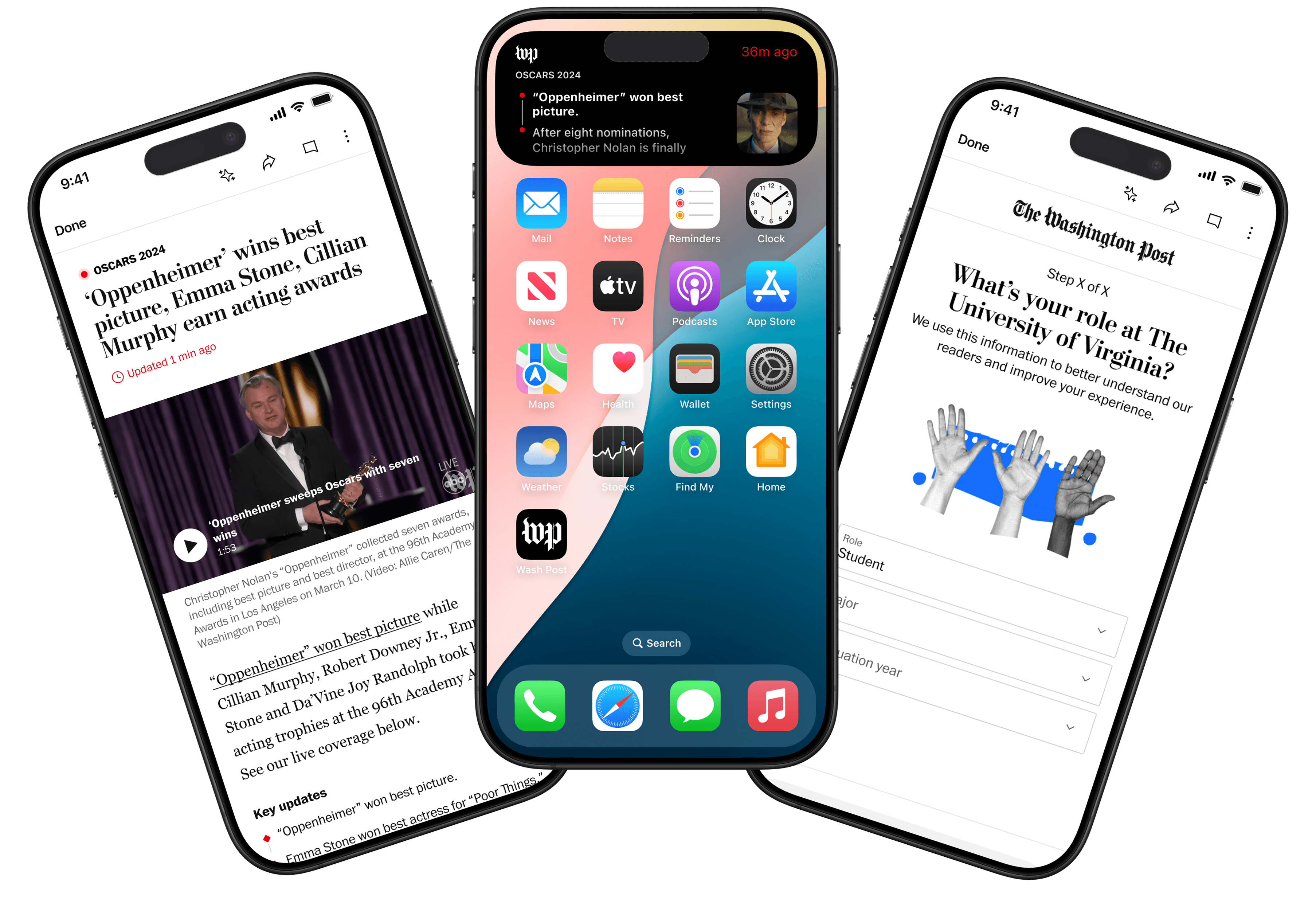
Designing an AI-powered Live Activity
Overview
To elevate real-time mobile engagement, The Washington Post’s Content XP team set out to integrate iOS Live Activities with its Live Updating Files (LUFs). Our goal was to design a scalable, AI-powered experience that delivers glanceable news updates directly on the lock screen, boosting engagement and shaping reader habit.
Impact
Approved for a Q1 2026 launch and added to the roadmap, with projected opt-ins rising from 17% to 25%, 3+ average views per user, and 60-second sessions.
- Duration
- July – August 2025 (1 month)
- My Role
- Product Design Intern
- Team
- 1 Engineer 2 Design Leads 1 PM 1 PM Intern
- Tools
- Figma, FigJam, Google Docs, Zeppelin
Mobile Users Receive Repetitive Push Notifications And Quickly Disengage.
Existing Live Updating Files (LUFs) attracted high traffic (55.1M pageviews H1 2025), yet 39% came from anonymous users who rarely registered or subscribed. With that in mind:
How might we make breaking coverage glanceable and valuable enough to drive repeat visits without overwhelming users?
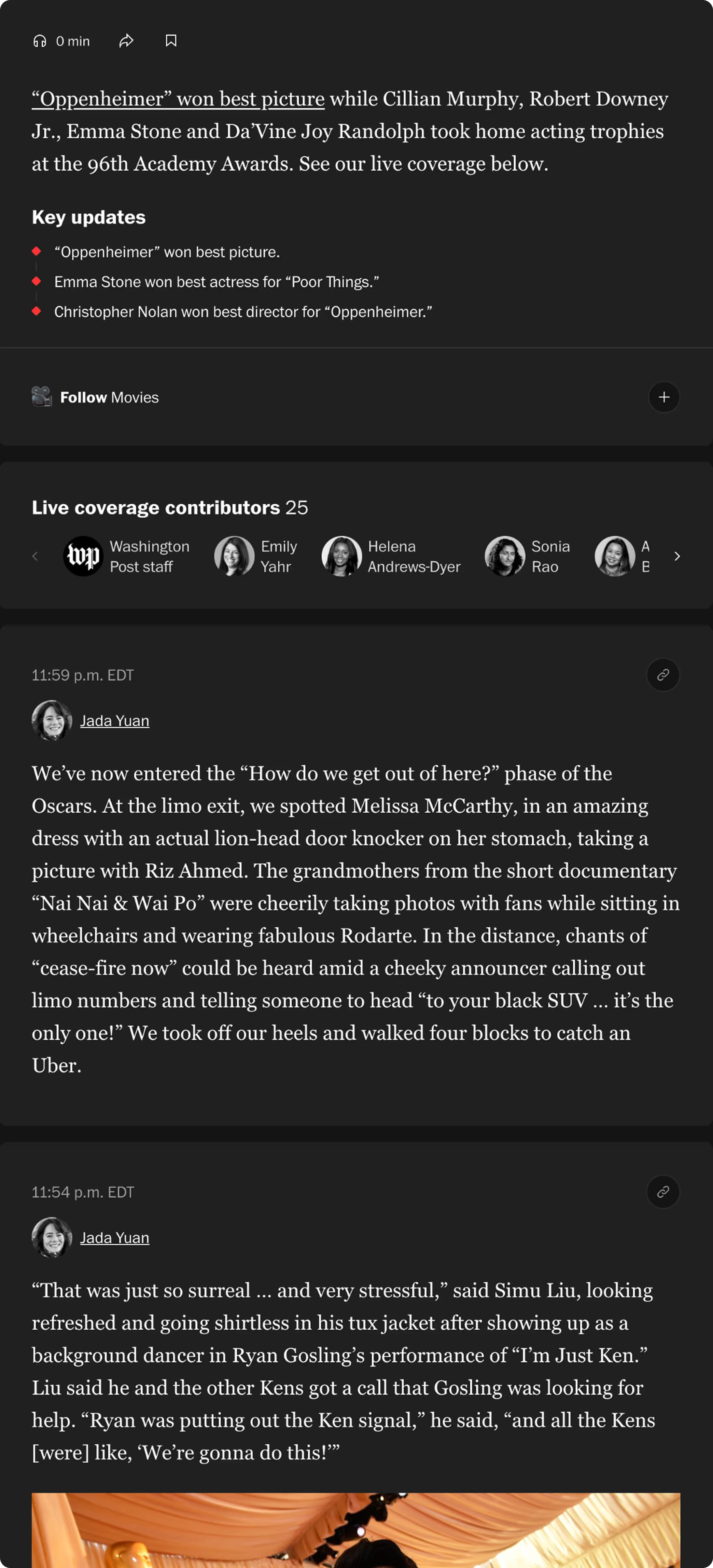
Current LUF layout
With Live Updating Files (LUFs), contributors are not limited to traditional article formatting and can publish quick posts designed as cards that readers can follow. To understand how to design the iOS Live Activity, I needed to understand LUFs’ anatomy.
Understanding How A User Interacts With A Notification.
I spoke with designers, engineers, and editors across The Washington Post’s Content XP team to understand the existing LUF experience and the challenges of mobile engagement. These discussions gave us three insights that shaped our design direction:
Engagement drops after the first alert.
Users often open one push notification but rarely return to check for updates.
Notification fatigue is common.
Too many alerts during live events cause users to mute or disable notifications entirely.
Users crave quick context without refreshing.
They want to understand what's happening at a glance without unlocking their phone or scrolling through feeds.
Understanding LUF's Anatomy
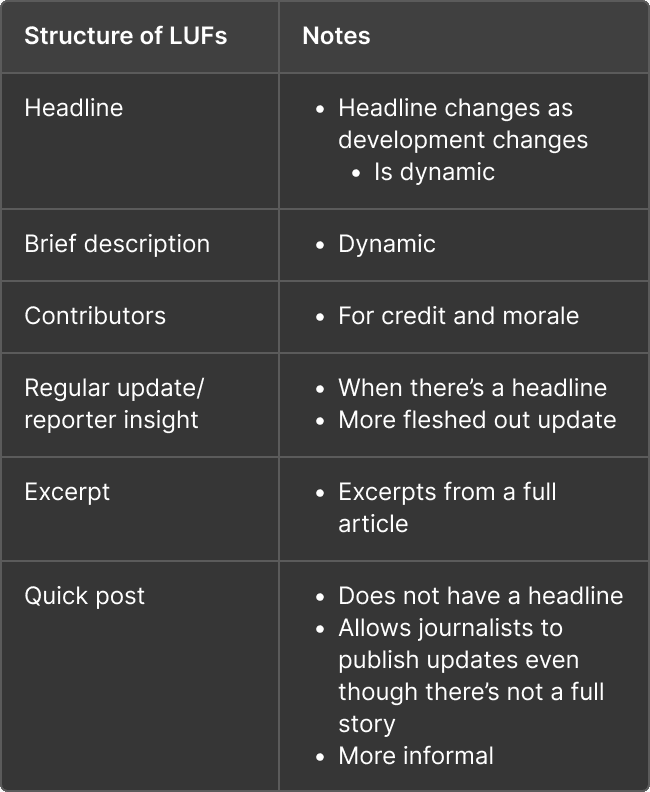
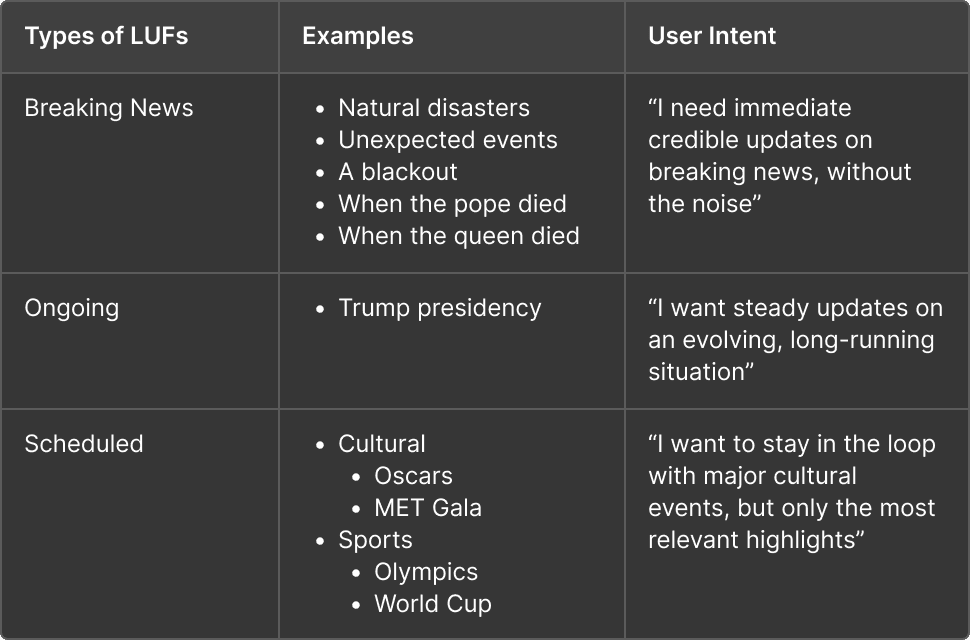
I dissected existing LUF structure: dynamic headlines, dynamic descriptions, contributor credits, reporter insights, article excerpts, and quick posts to understand the content I was designing for. I also defined LUF categories to break down which types of news would work with a live activity template, and how users would interact with different LUF live activities.
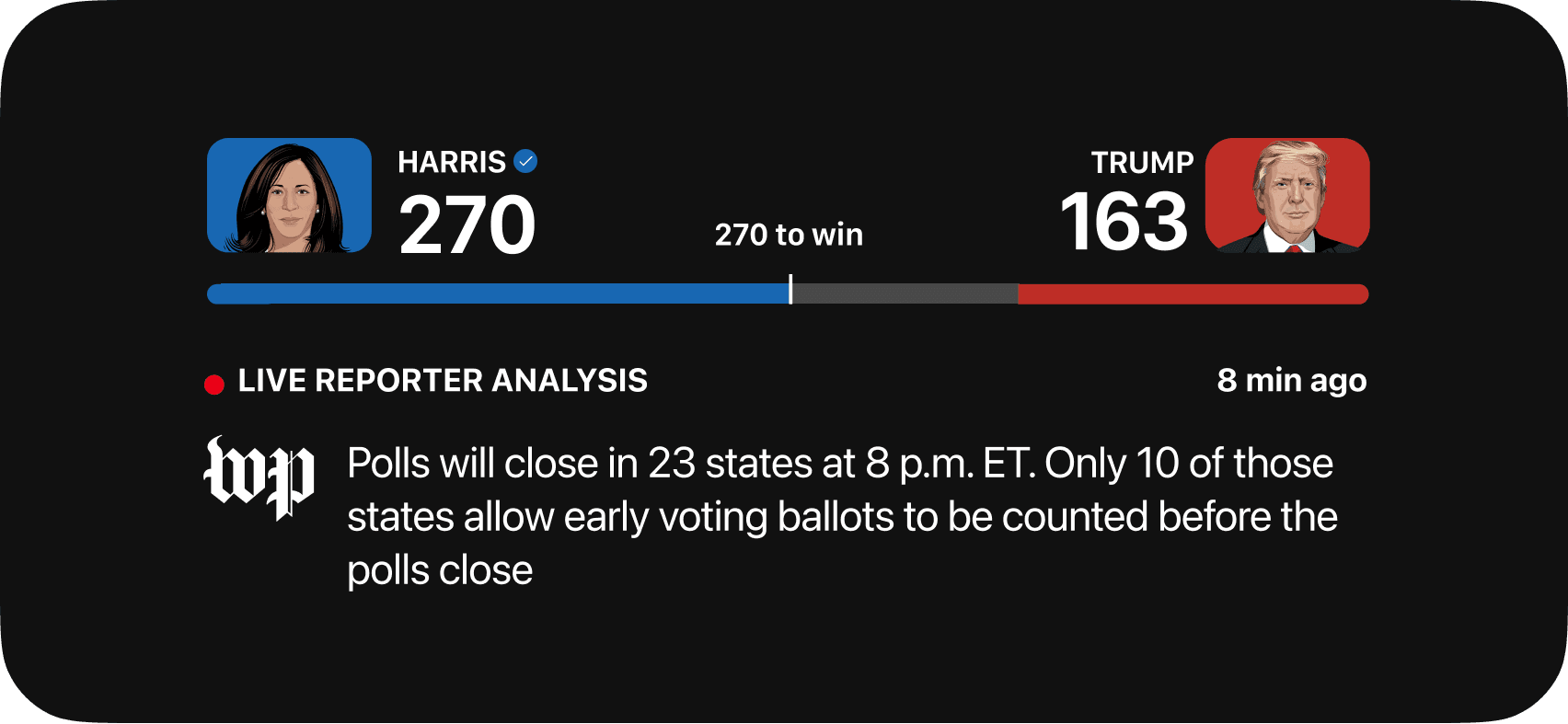
Learning from The 2024 Election Live Activity
The 2024 Election prototype was the baseline for my design. Though it generated high engagement (26% click-through), it required heavy manual tagging by journalists. Since the process was not scalable, I worked alongside the PM intern to integrate an LLM-based classifier that automatically surfaces urgent, high-salience posts and reduces noise. My design needed to be adaptable and act as a sort of template for different formats and combinations of quantitative and qualitative data.
iOS Live Activity Requirements
The iOS Live Activity requirements were an added constraint throughout my design process. Designing for such a small screen with areas where UI would not show or would be rejected during the final Apple approval process gave me a challenge to solve.
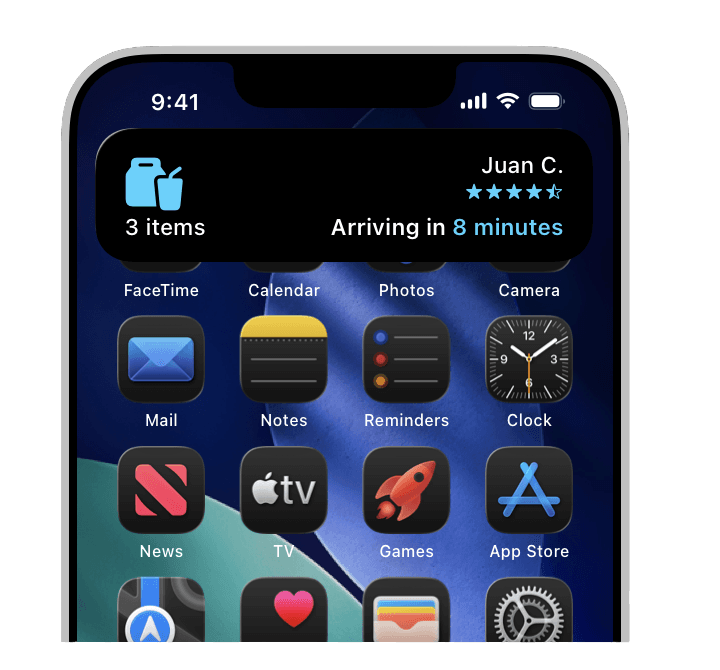
Designing Within iOS Limits
Early Sketches
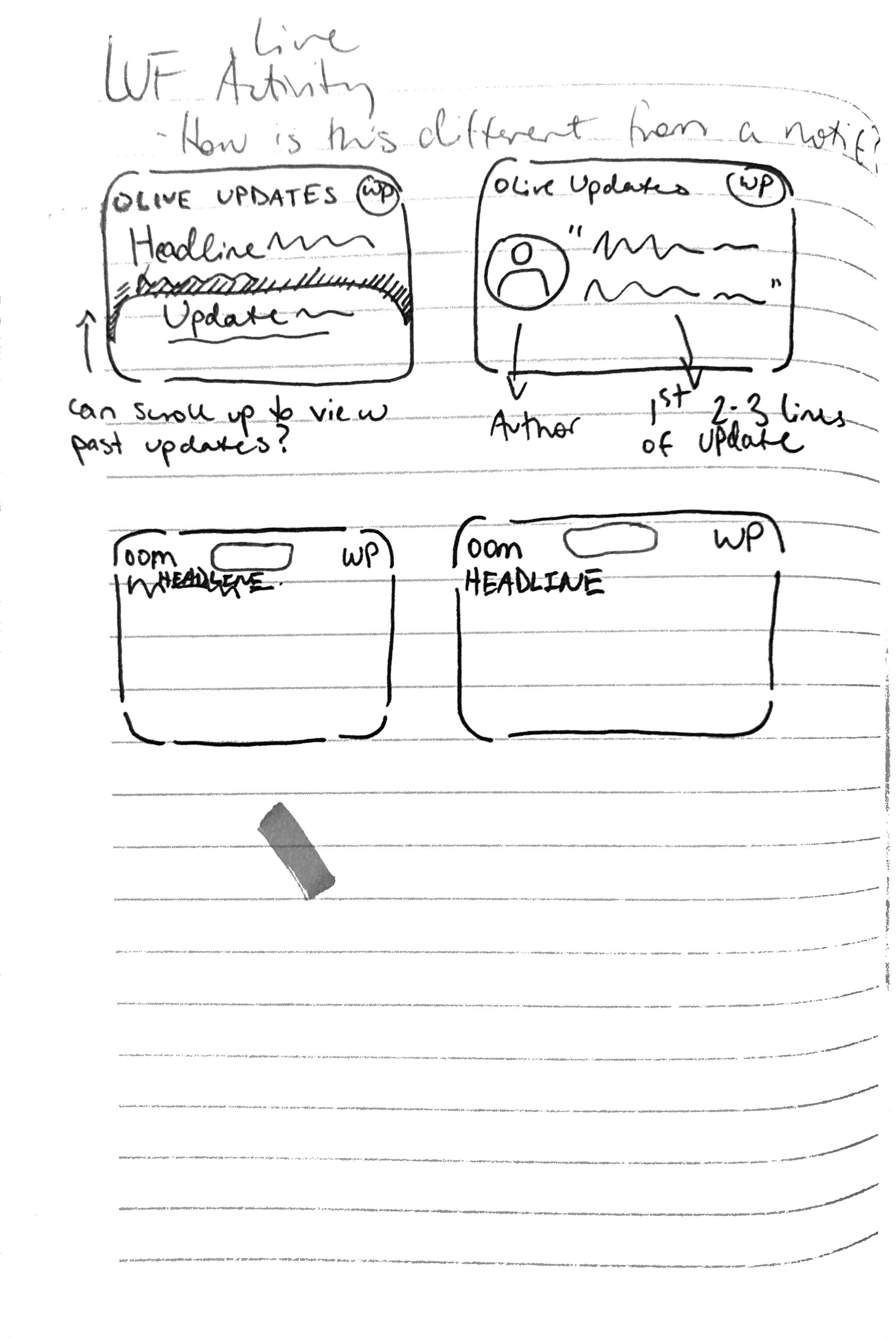
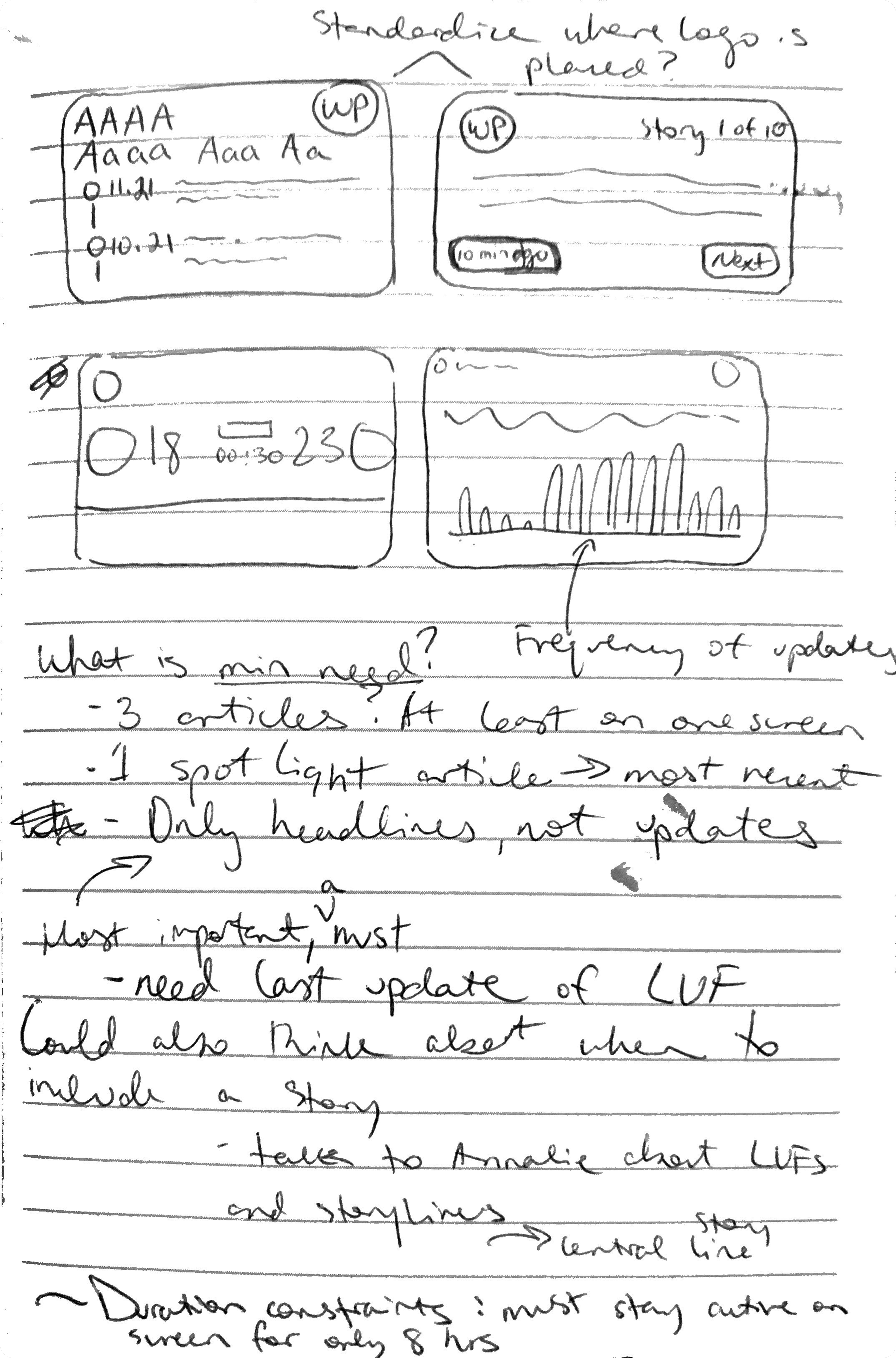
My early concepts explored how much information could fit in the compact format and the variety of data it could show. I also noted the constraints of the display and the 8 hour limit on how long a live activity appears on the user’s screen.
V1 Designs
For my initial design, I explored different ways to display the live update title, time stamps, and pieces of content, using the Post’s components in the existing Figma libraries. I learned to rapidly prototype new iterations to better prioritize visual hierarchy at this conceptual design stage. I used the Hurricane Ian story as the example use case to populate content.
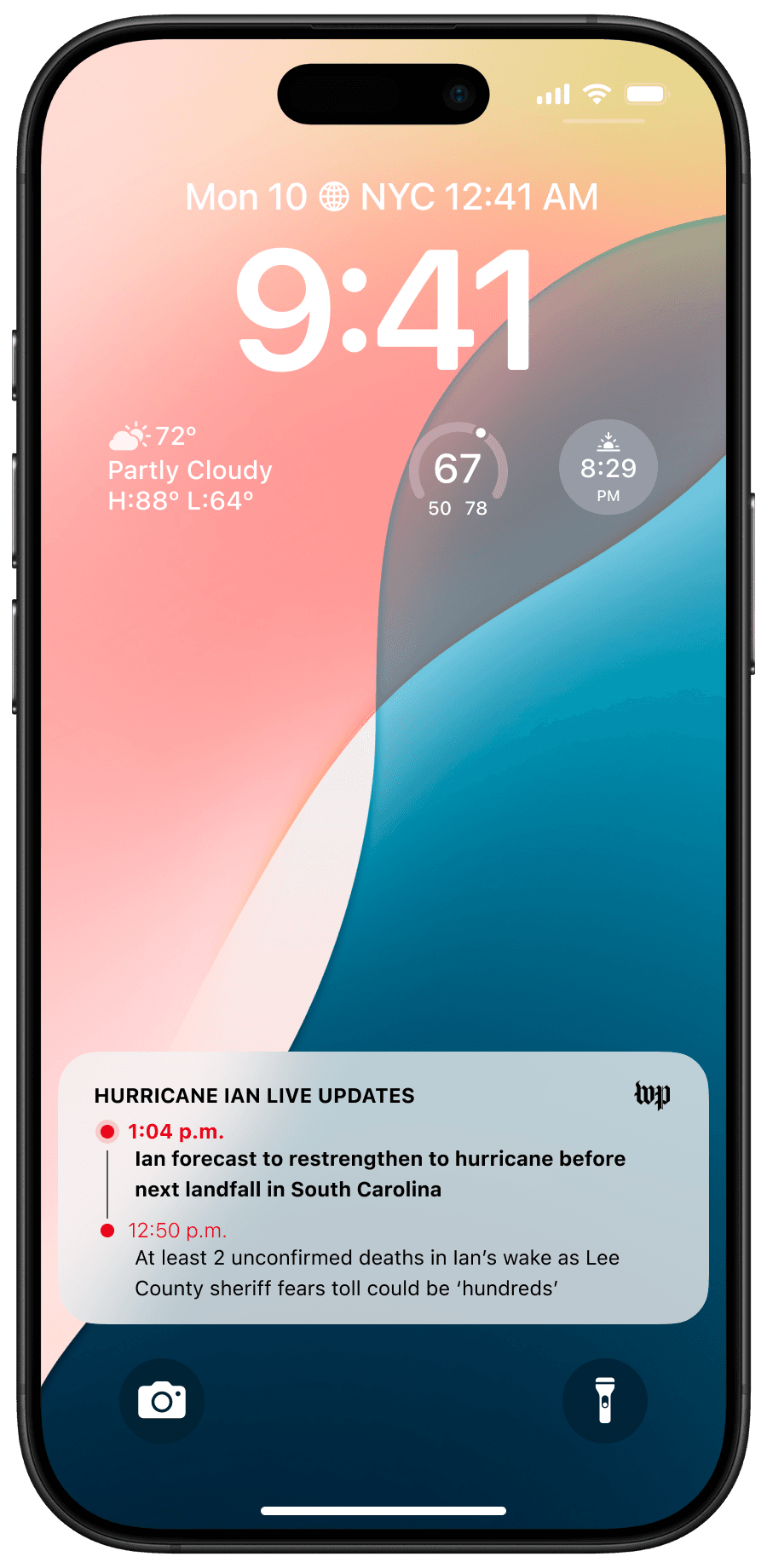
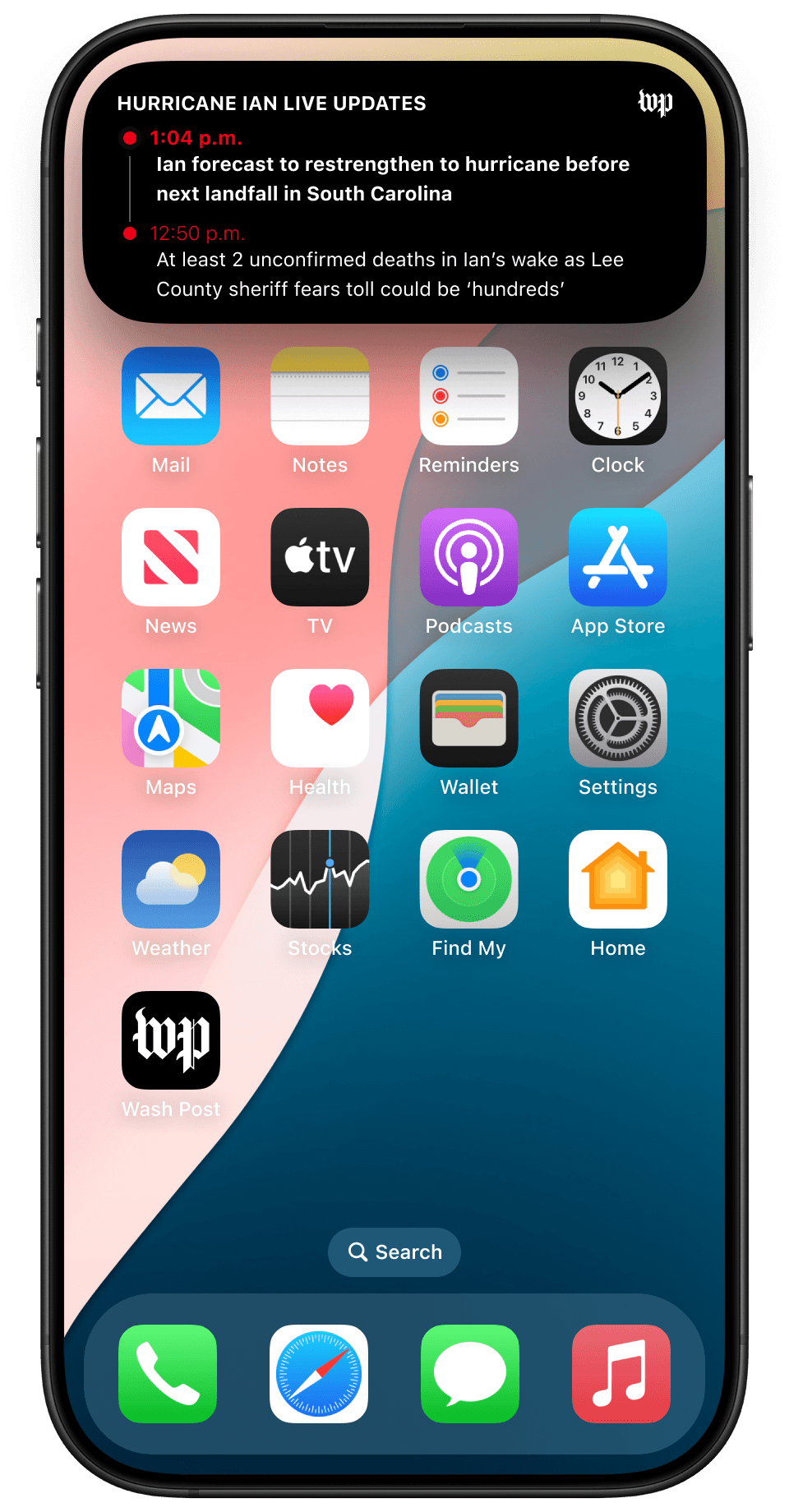
Design Feedback
After feedback from product and design leadership, I made two changes. I optimized scalability by creating a flexible component system that could accommodate event-specific visuals (e.g., cultural vs. political coverage) while maintaining consistency. I also defined the interaction model, clarifying transitions from lock screen to app view with timestamped anchors and subtle motion cues.
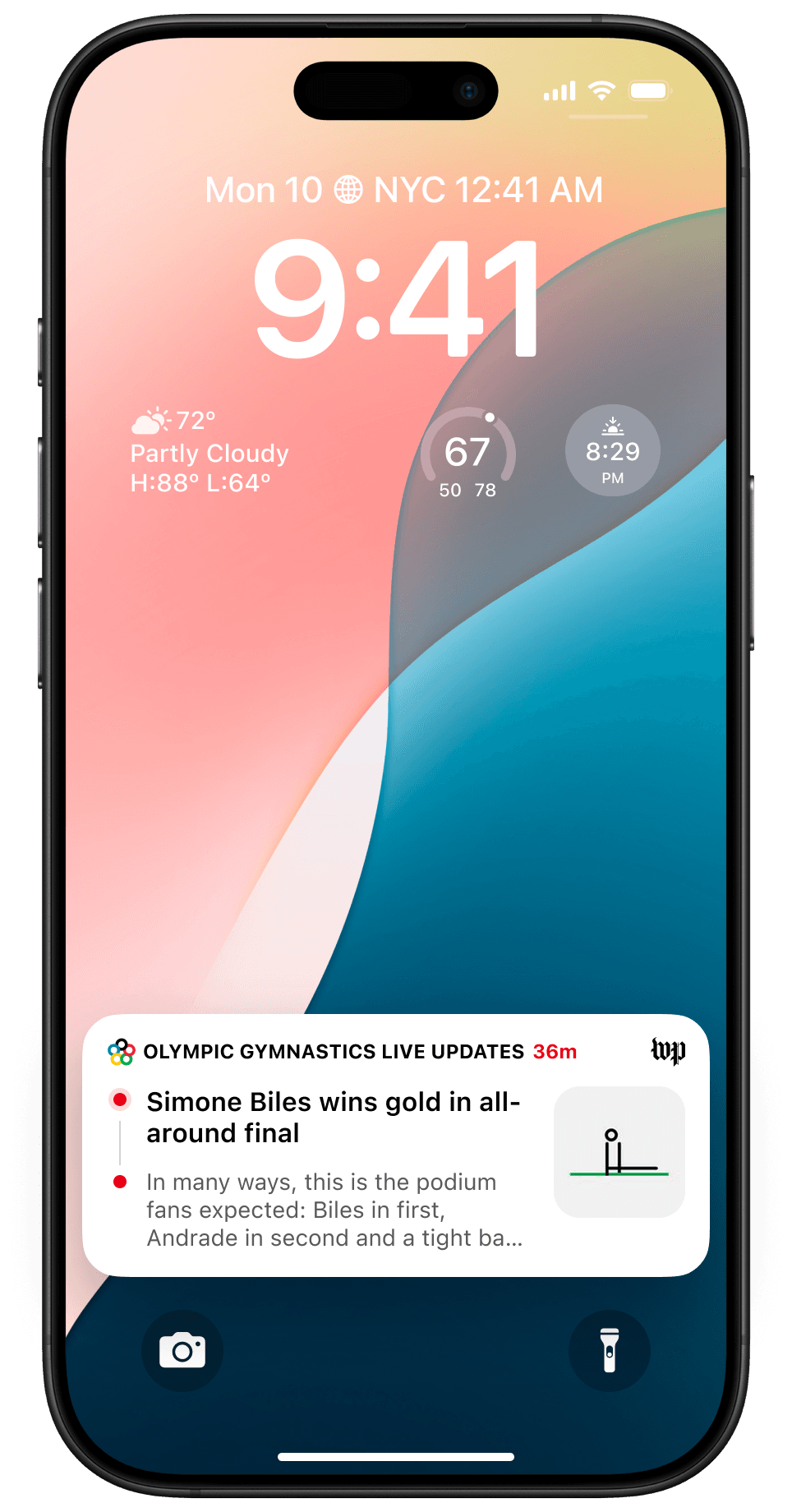
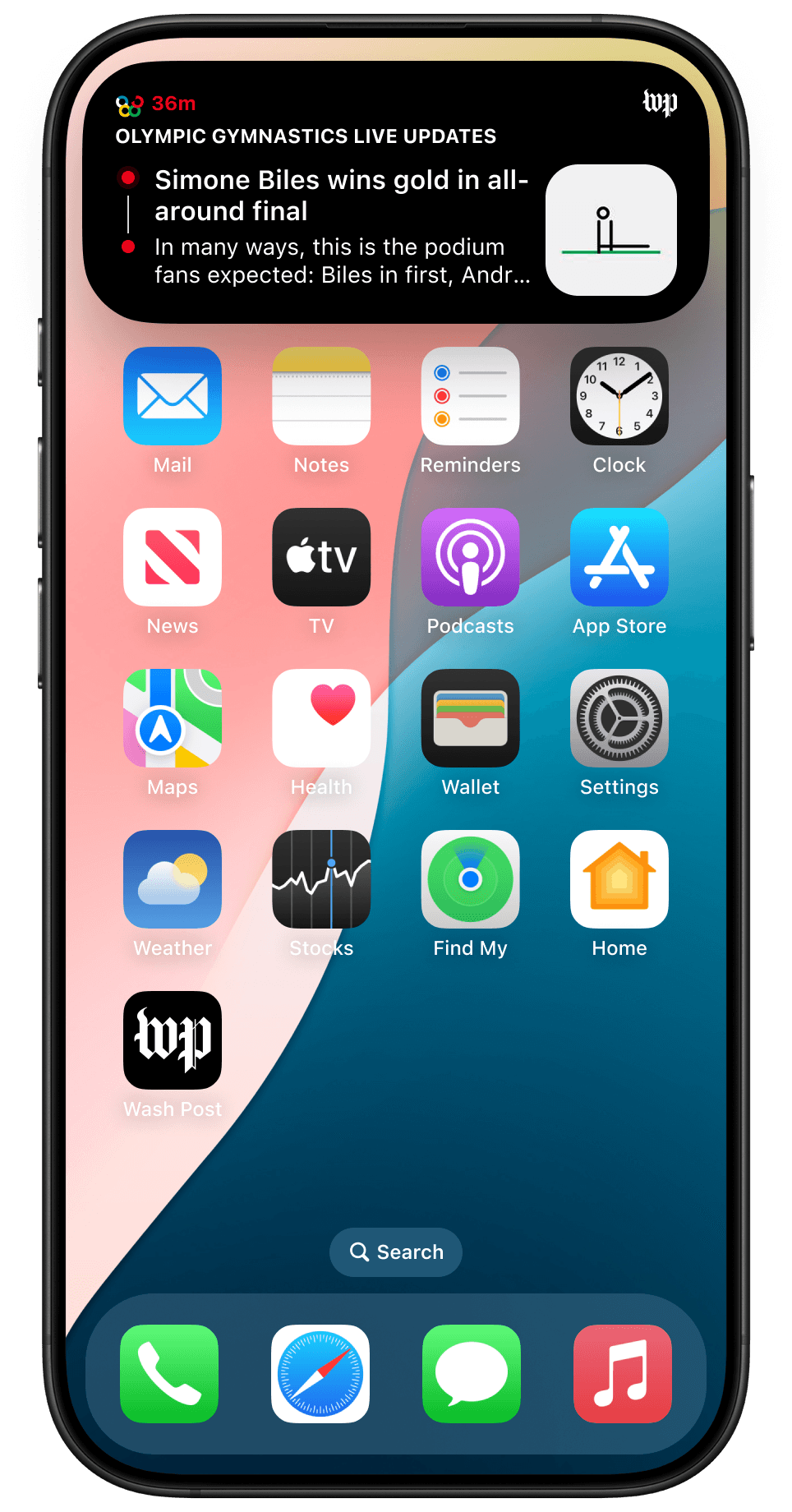
Designing for Technical Constraints
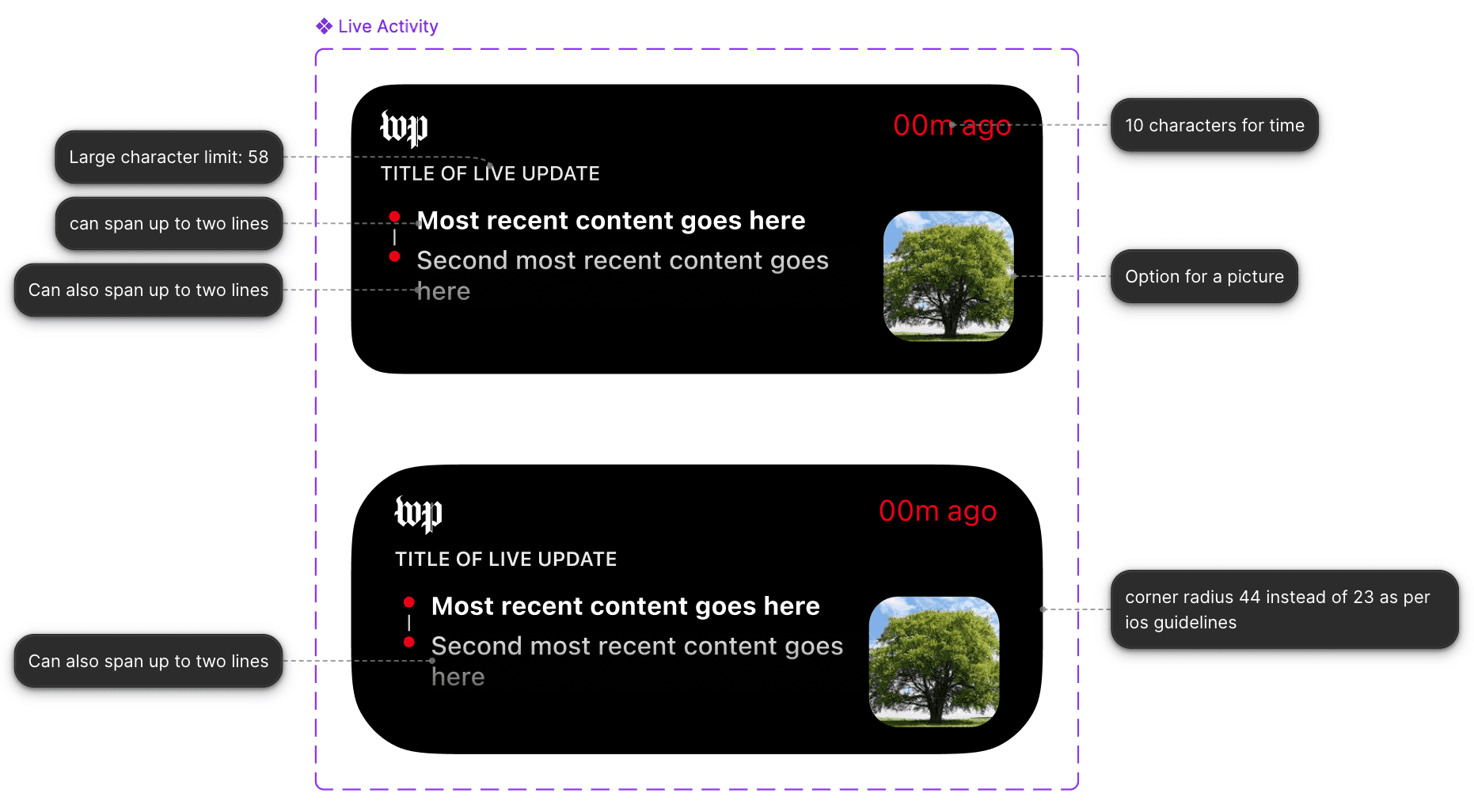
Collaboration with the iOS engineering team that worked on the elections live activities revealed technical limitations in Live Activity height, interactivity, and refresh rates. To maintain performance and compliance, I established modular zones for the headline, timestamp, and update source that scale within iOS boundaries. These insights also informed future LUF integrations, so the design stays visually adaptable across compact and expanded states.
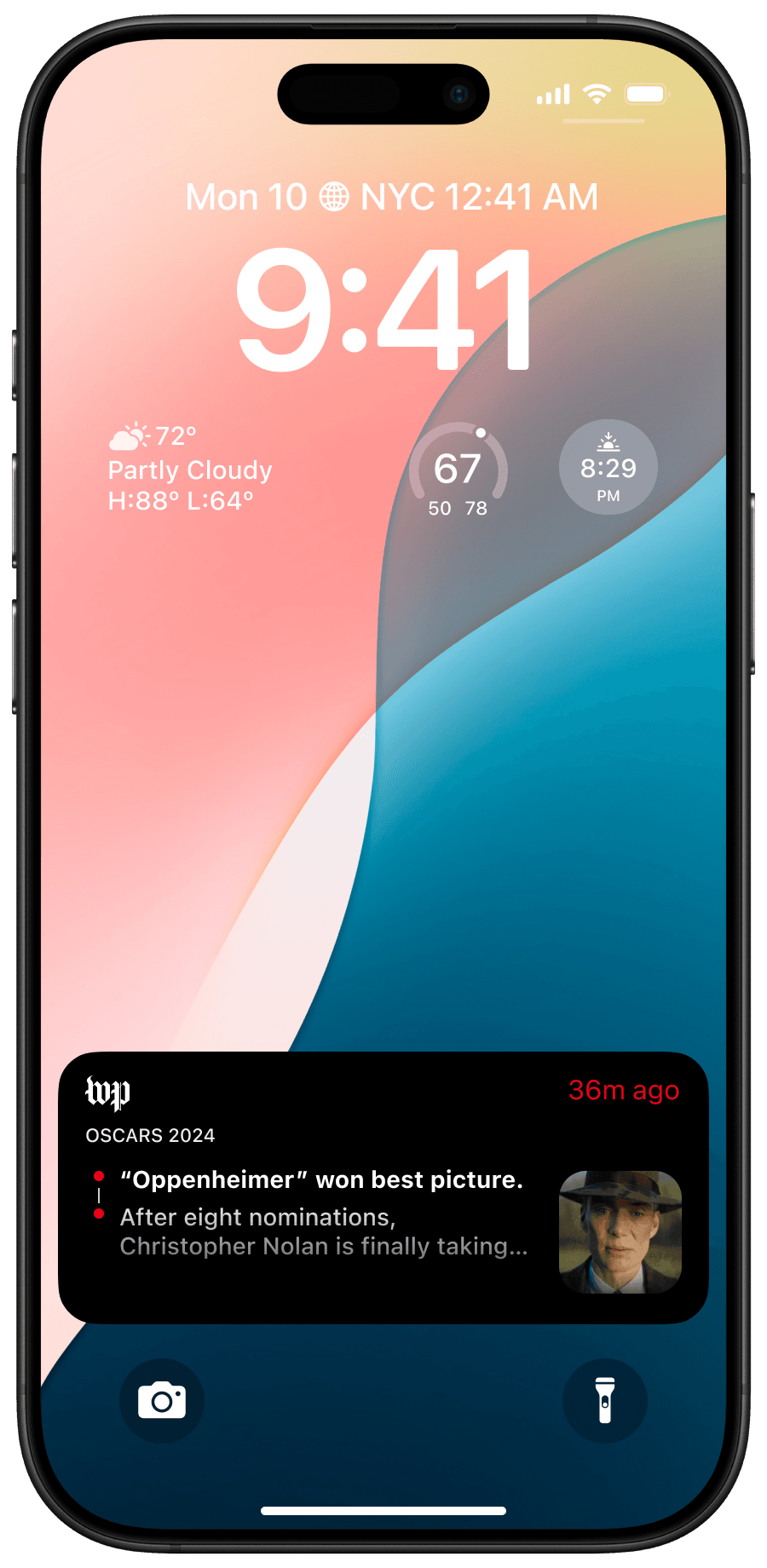
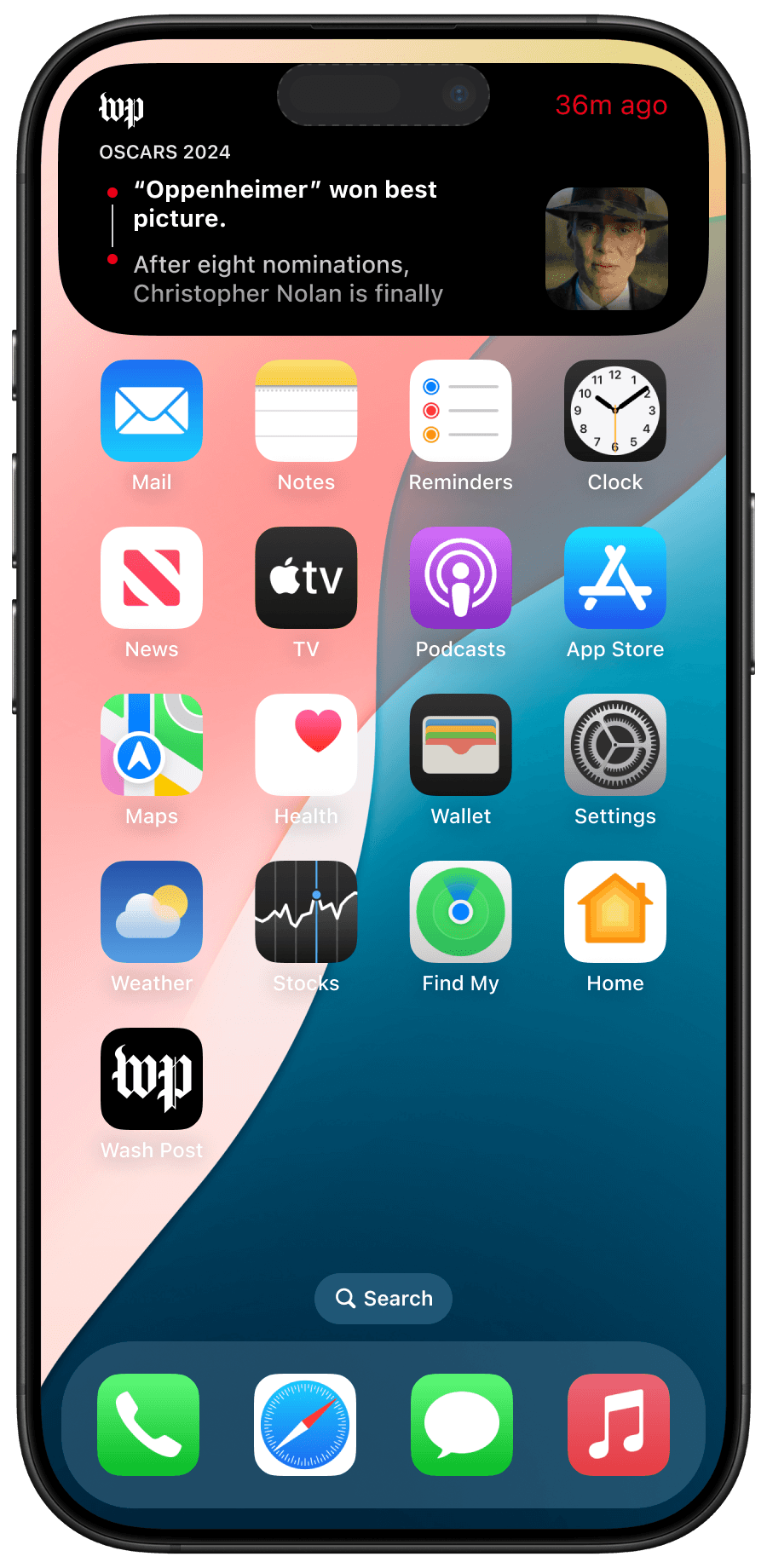
Creating Flexible Templates For Diverse Storytelling
To support The Post’s diverse storytelling, I built a template design system that balanced scalability with creative freedom. Each template could adapt to event type (breaking, ongoing, or scheduled) and editorial tone while leaving space for visual experimentation by graphic artists. The framework keeps the brand consistent across all Live Activities and still allows event-specific customization.
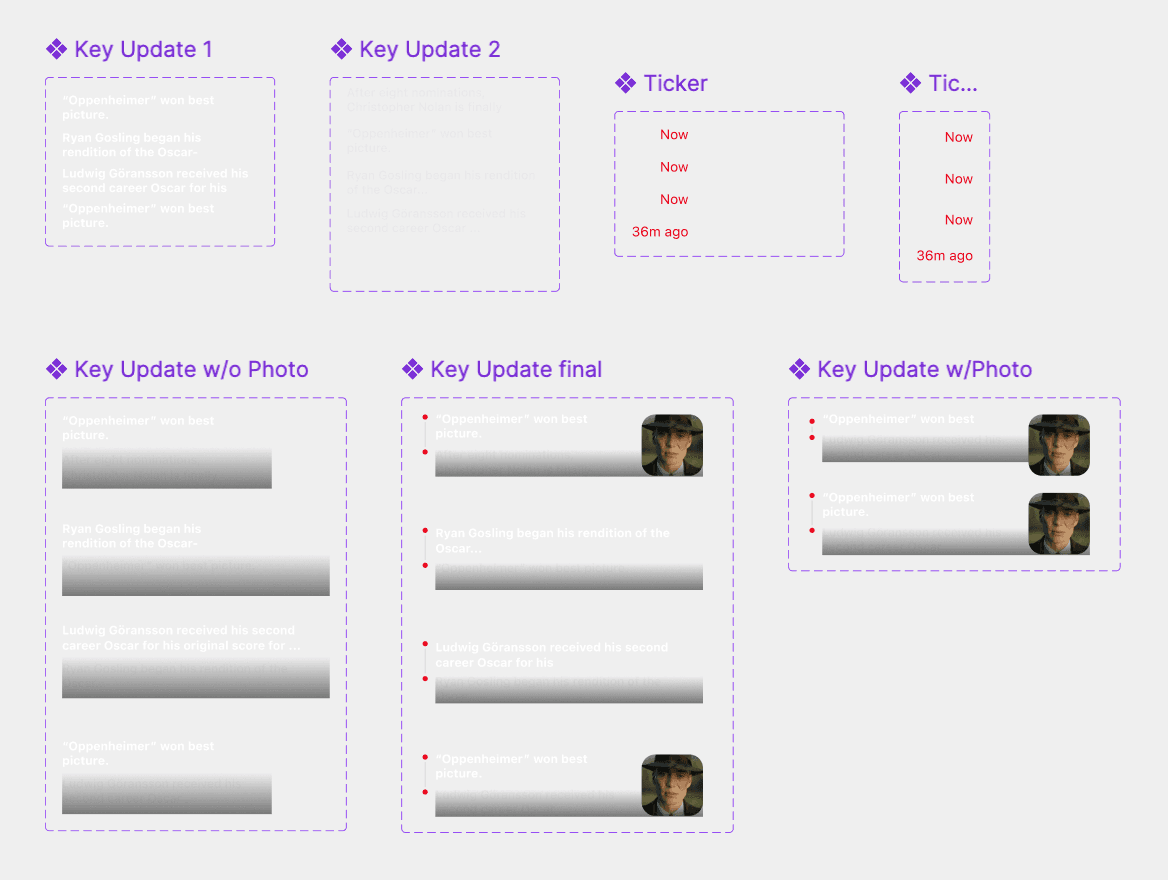
Motion Interactions
I learned how to prototype smooth motion interactions by making my own local components for transitional states within the live activity. These animations would help users see when content has been updated in real time, so they don’t lose context.
Final Prototype
Results And Learnings
I presented the Live Activity prototype to Content XP leadership, alongside other newsroom and product teams exploring engagement-driven solutions.
Executive feedback
Praised for scalability, technical feasibility, and editorial alignment, since it automates newsroom tagging without compromising journalistic integrity.
Organizational impact
Approved for a Q1 2026 launch and added to the roadmap, with projected opt-ins rising from 17% to 25%.
This was my third project at The Post, and it challenged me to move beyond execution and think like a product strategist. My takeaways:
Collaborate early with engineering
I partner with engineers early to turn technical constraints into feasible designs.
Embrace iteration and feedback loops
I use constant feedback to check my work against user needs and product goals.
Go beyond the MVP
I design scalable frameworks and flexible templates so products can grow past their initial launch.