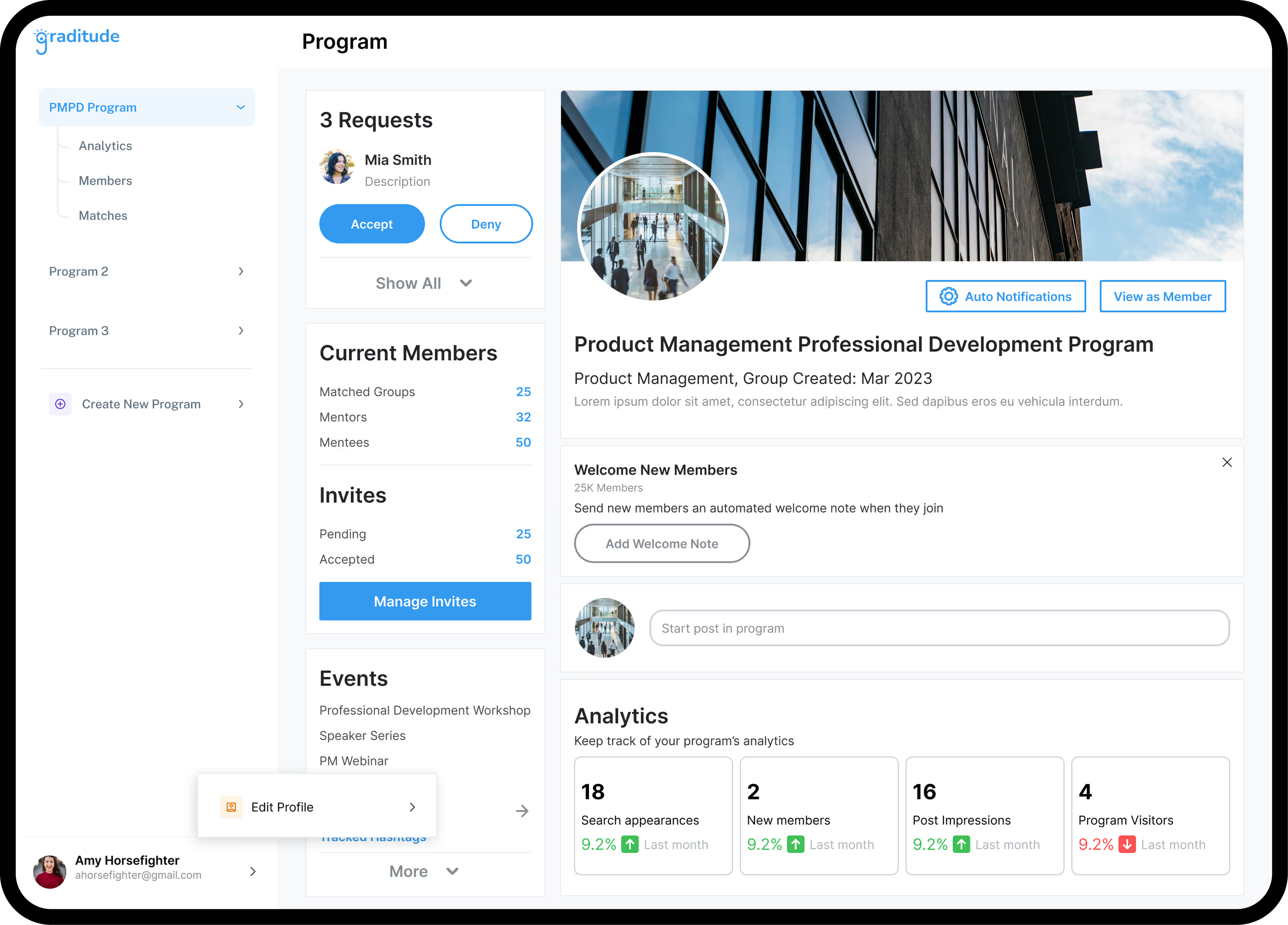
Help students develop impactful career mentorship relationships.
Designing a centralized dashboard that allows admins to understand their mentorship programs.
Overview
Graditude is a nonprofit platform connecting students with alumni for career mentorship, in partnership with campus organizations.
Impact
Delivered a stakeholder presentation that handed my designs to the project's developer, setting the team up for implementation.
- Duration
- Fall 2024 (Internship)
- My Role
- UX Designer Led 3 junior designers
- Team
- 1 CEO 1 Design Lead 1 Developer 3 Junior Designers
- Tools
- Figma, FigJam, Google Docs
Problem: Graditude's admins need more support.
Admins struggle to effectively manage mentorship programs due to limited visibility into participant engagement, which leads to poor outcomes and discouraging program launches.
Solution: A centralized dashboard that allows admins to view and understand their programs.
Admins now have a central dashboard to track member engagement and intervene as needed throughout the mentorship lifecycle, with early priorities focused on Recruiting, Matching, and Solidifying.
Outcome: Successful stakeholder presentation and dev handoff
During the last days of my internship, I delivered a stakeholder presentation that communicated my solutions to the dev of the project, setting the team up for implementation.
Project Process
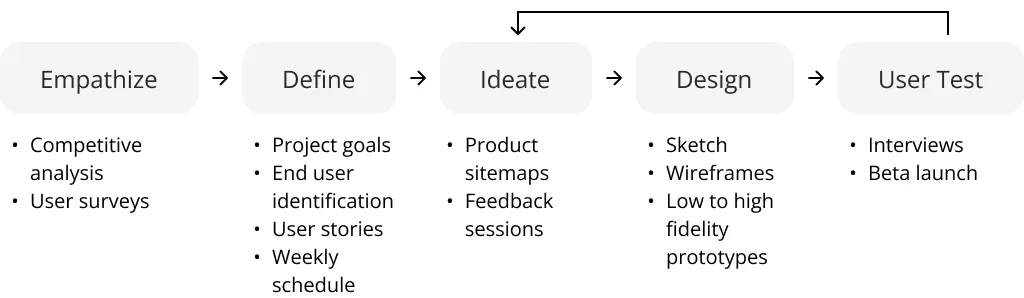
Understanding Admin Needs
Stakeholder Interview and Past Documentation
I talked to the CEO, Steven, to understand the business needs and admins’ needs for improving program success, which supports Graditude’s overall operations. The following were his intentions for the dashboard, along with insights from interview transcripts of people interested in being a program admin.

See who signs up, and invite different types of members if needed.

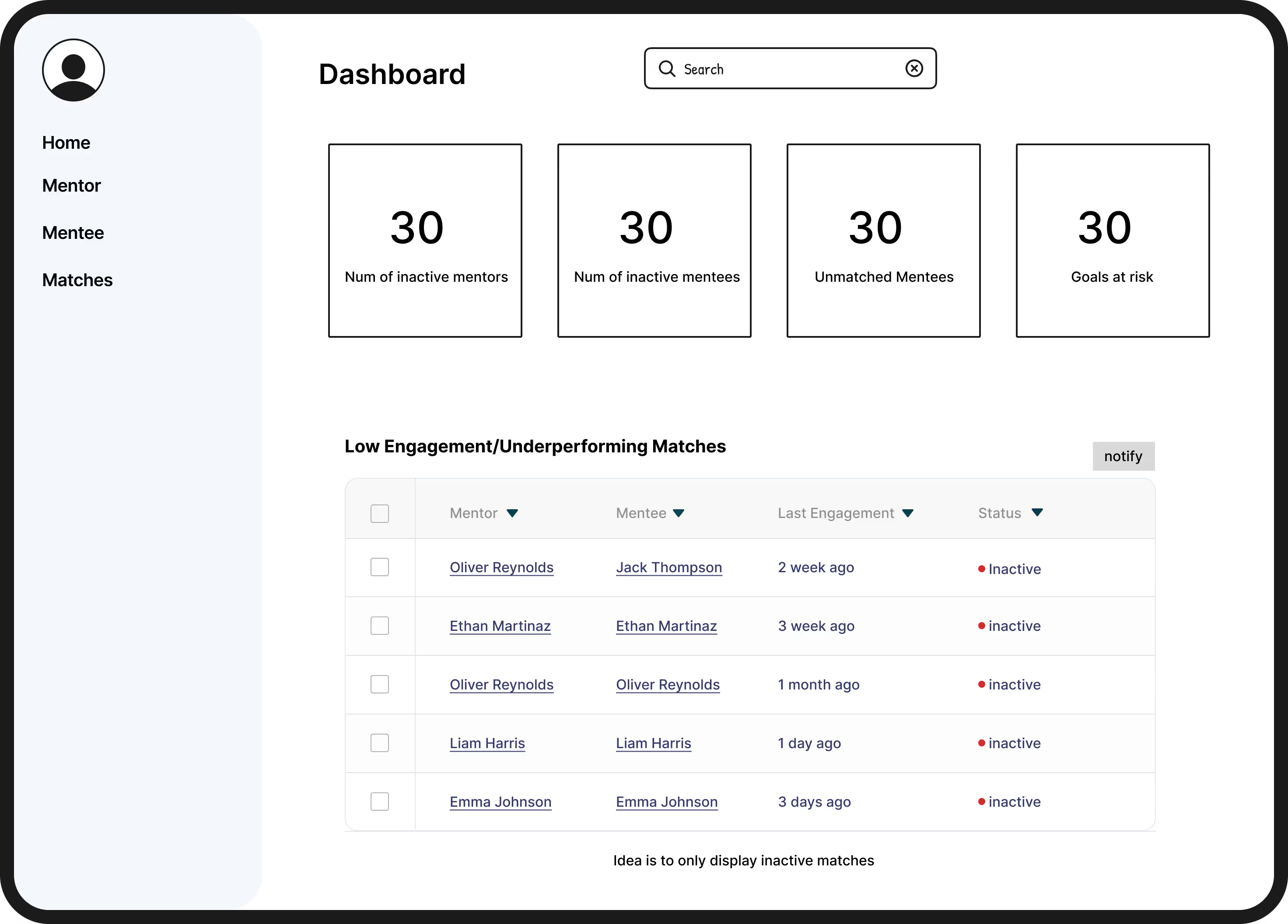
Spot which matches engage, and nudge the matches that don't.

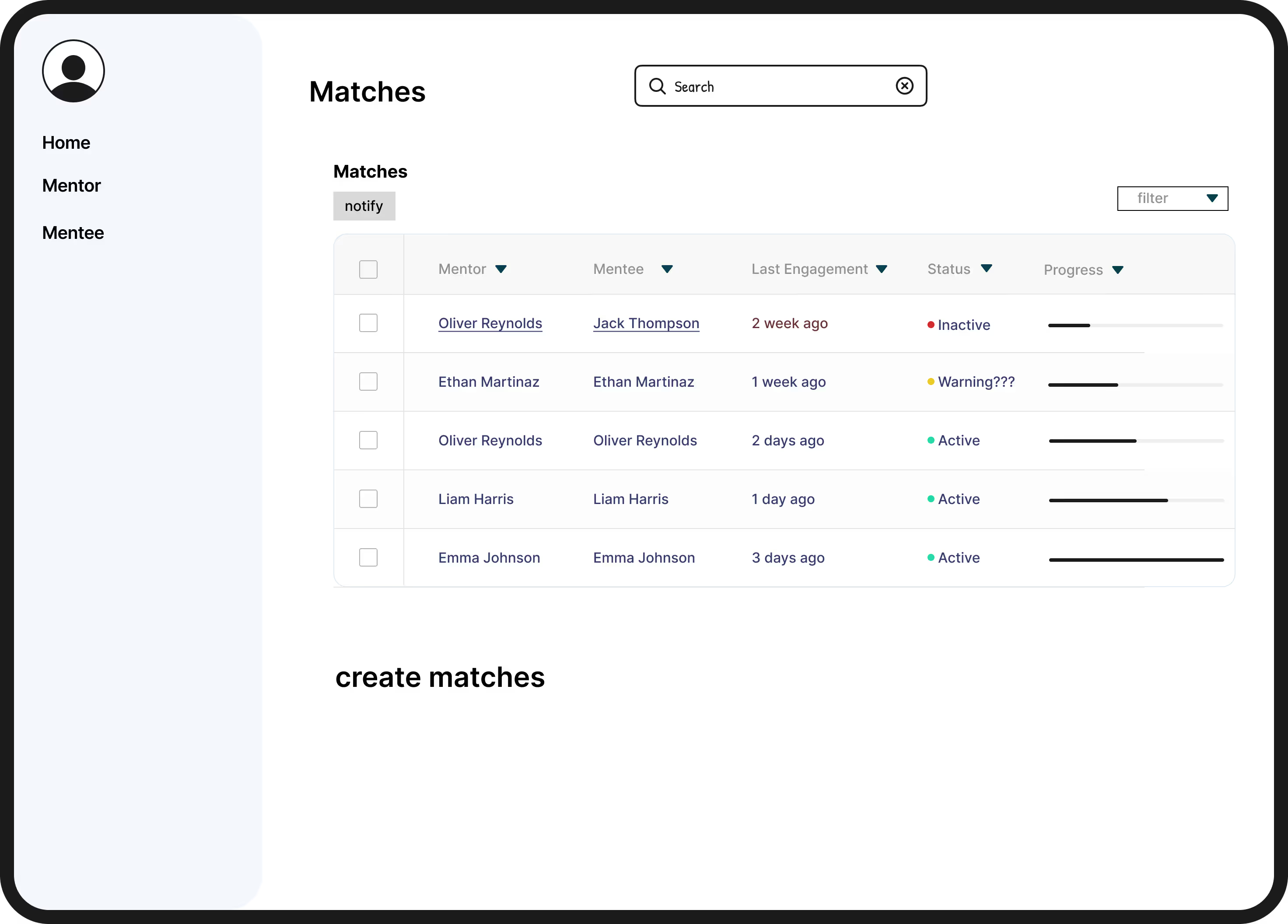
Track match progress and follow up on stalled matches.

View updated program goals and follow up on stagnant relationships.
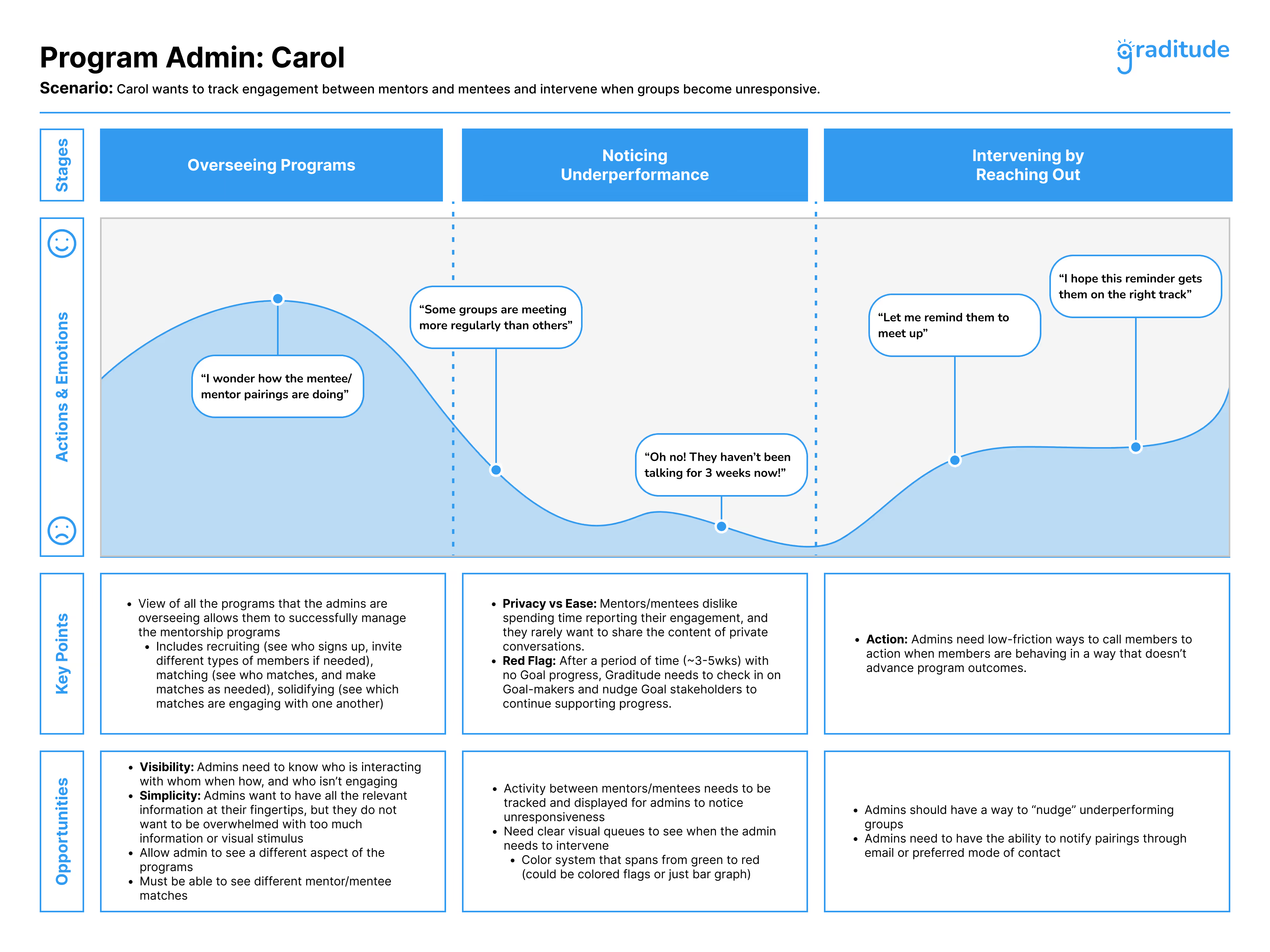
User Journey
After consolidating existing documentation and defining our approach, I created a detailed user journey for our example admin, “Carol.” The journey showed Carol’s workflow, challenges, and decision points. It helped stakeholders see her needs and guided which dashboard features I designed to support her actions.
Defining The Scope
User Persona
Based on our business goals and existing admin interview transcripts, we created a user persona: Carol Thompson, a mentorship program coordinator, who struggles to track mentor-mentee engagement and know when to intervene. The Admin Dashboard gives her real-time visibility into match activity and progress toward goals, so she can take quick, targeted actions that keep programs on track and lead to stronger outcomes.
User Flow
Our “Nudge” flow lets admins quickly identify low-engagement or underperforming mentor-mentee matches from the Admin Dashboard, select them, and send targeted notifications. By streamlining the process into just a few steps, admins can re-engage pairs before progress stalls, which keeps mentorship programs active.

Defining Roles
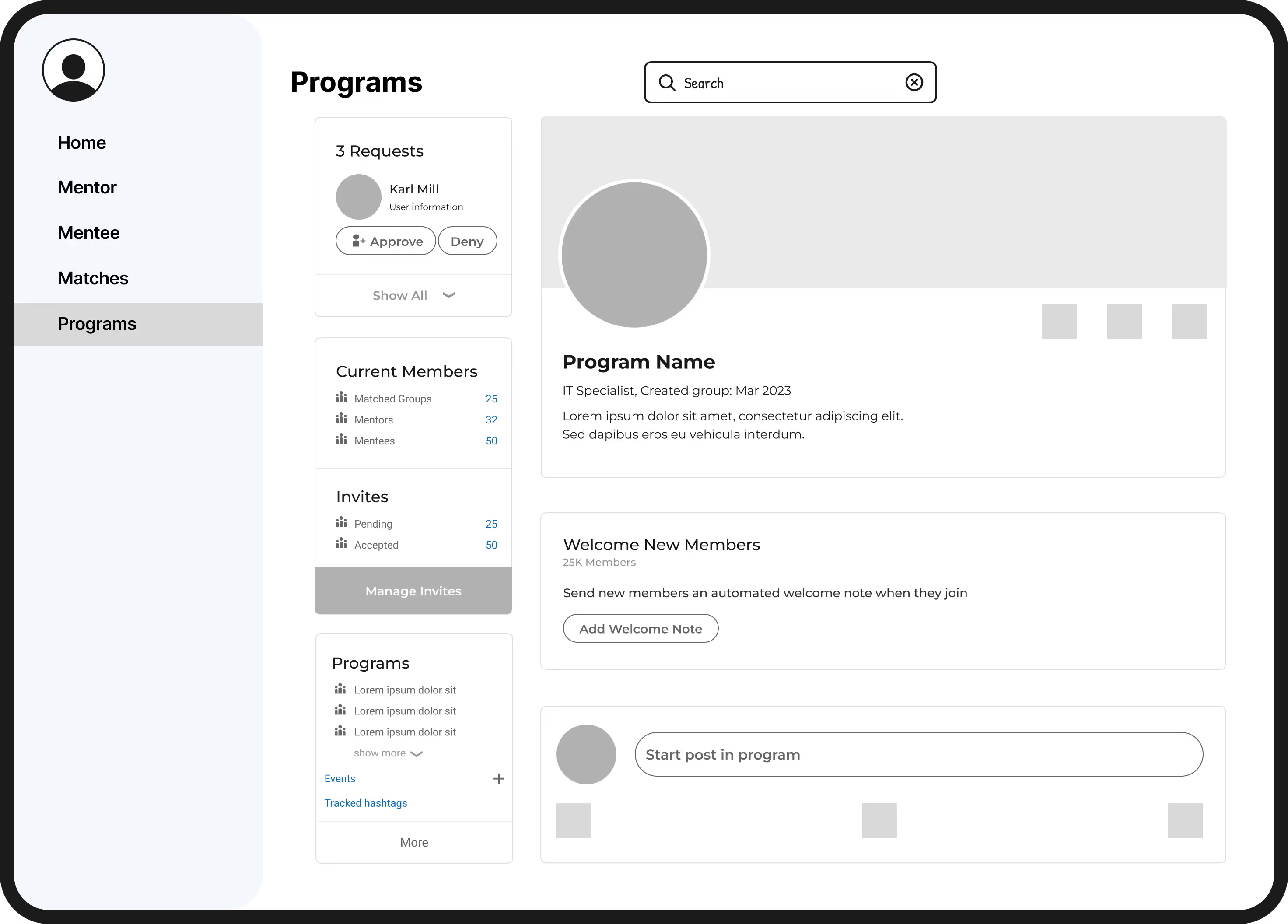
To define our scope and make sure our plan supported Graditude’s mission of giving admins the tools they need to manage mentee/mentor matches, I took ownership of the main dashboard, the flow for inviting new members, and the flow for creating new programs. I also made sure we had clear action items before and after our weekly meetings.
Sketching And Testing
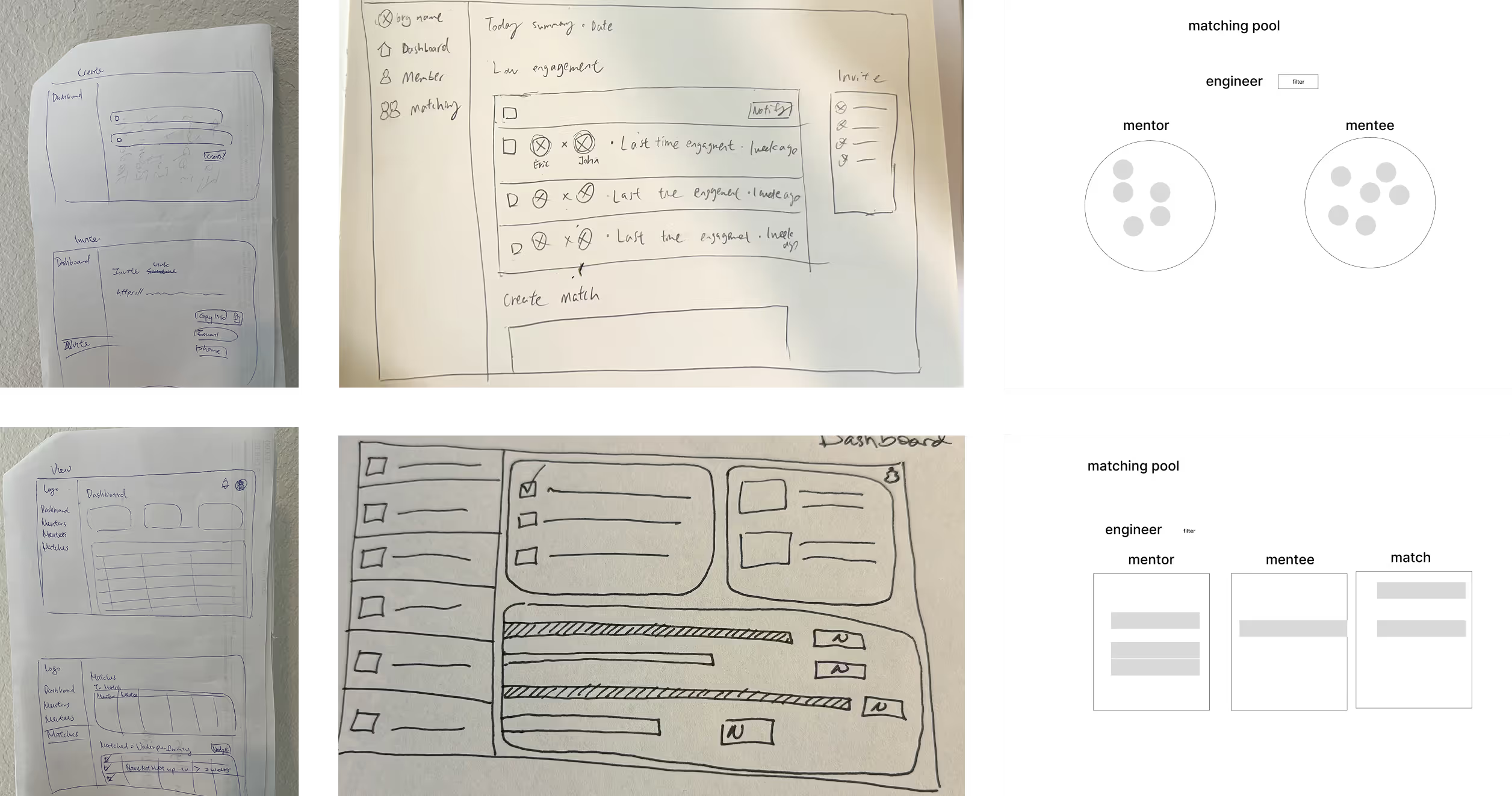
Sketching and Wireframes
I hosted a fast sketching exercise to get an idea of the core functionality of the dashboard and encourage creativity as we designed from low to high fidelity. Our primary goal was to allow the admin to:
- View mentor and mentee analytics
- Track engagement
- Nudge and/or set reminders
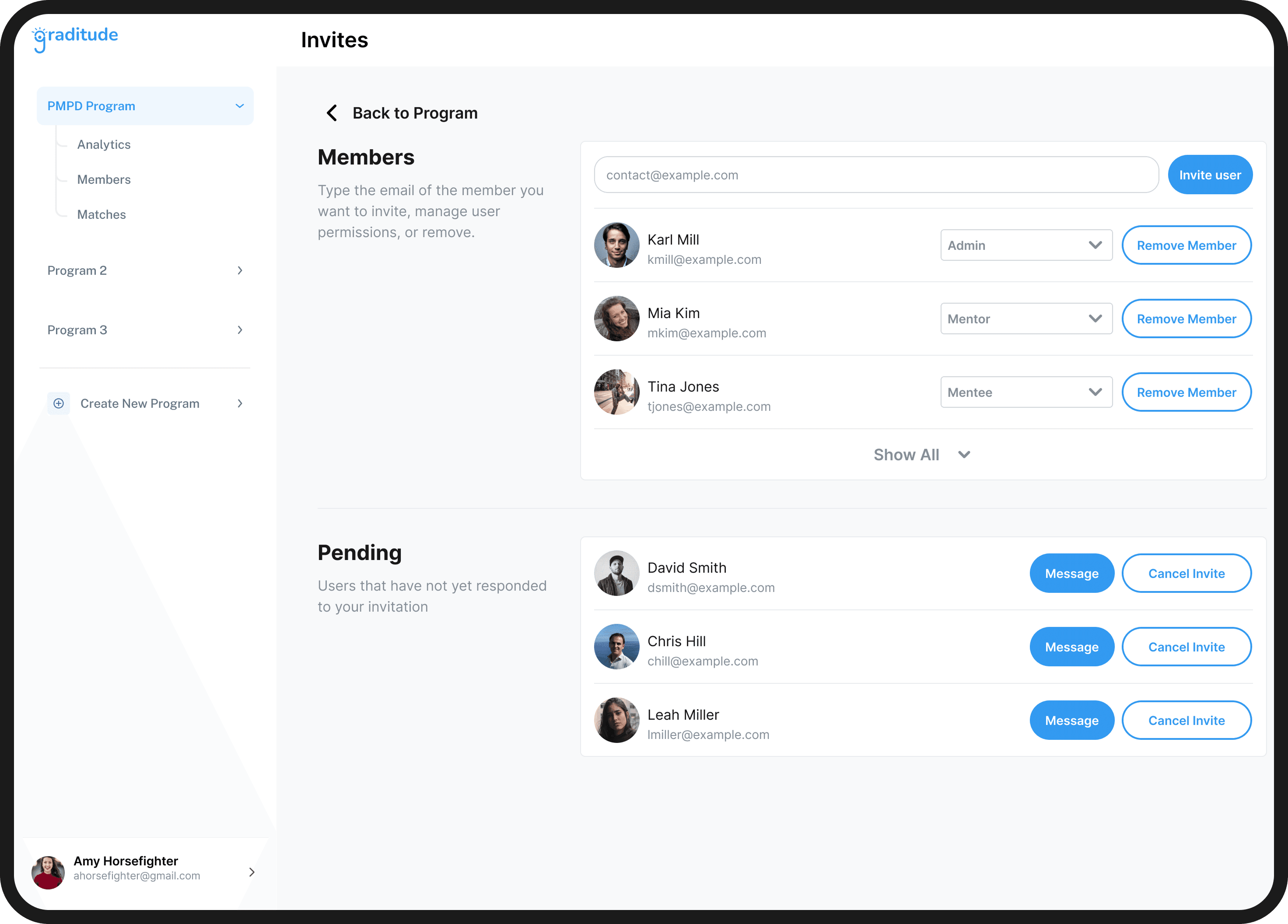
- Invite prospective members
- Create matches
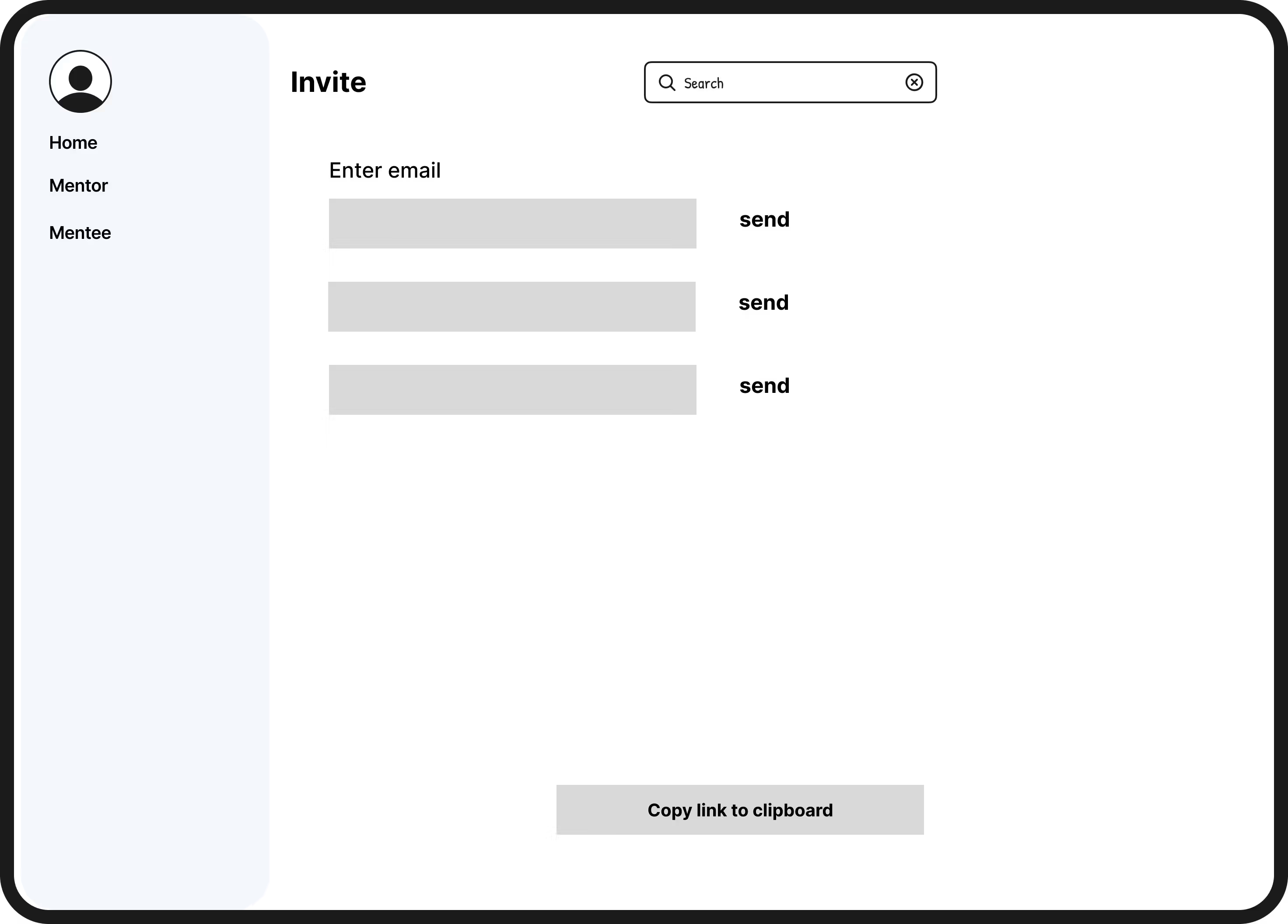
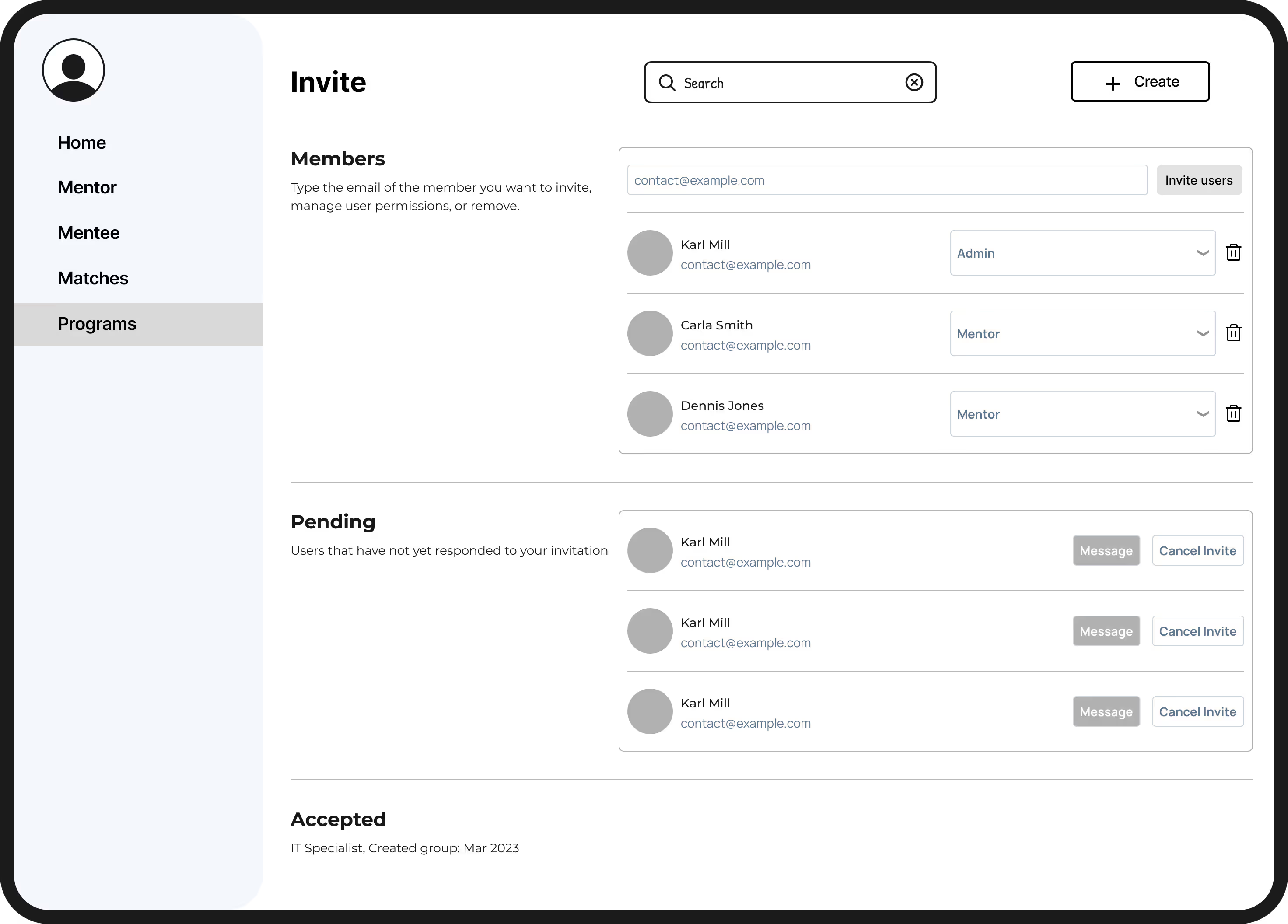
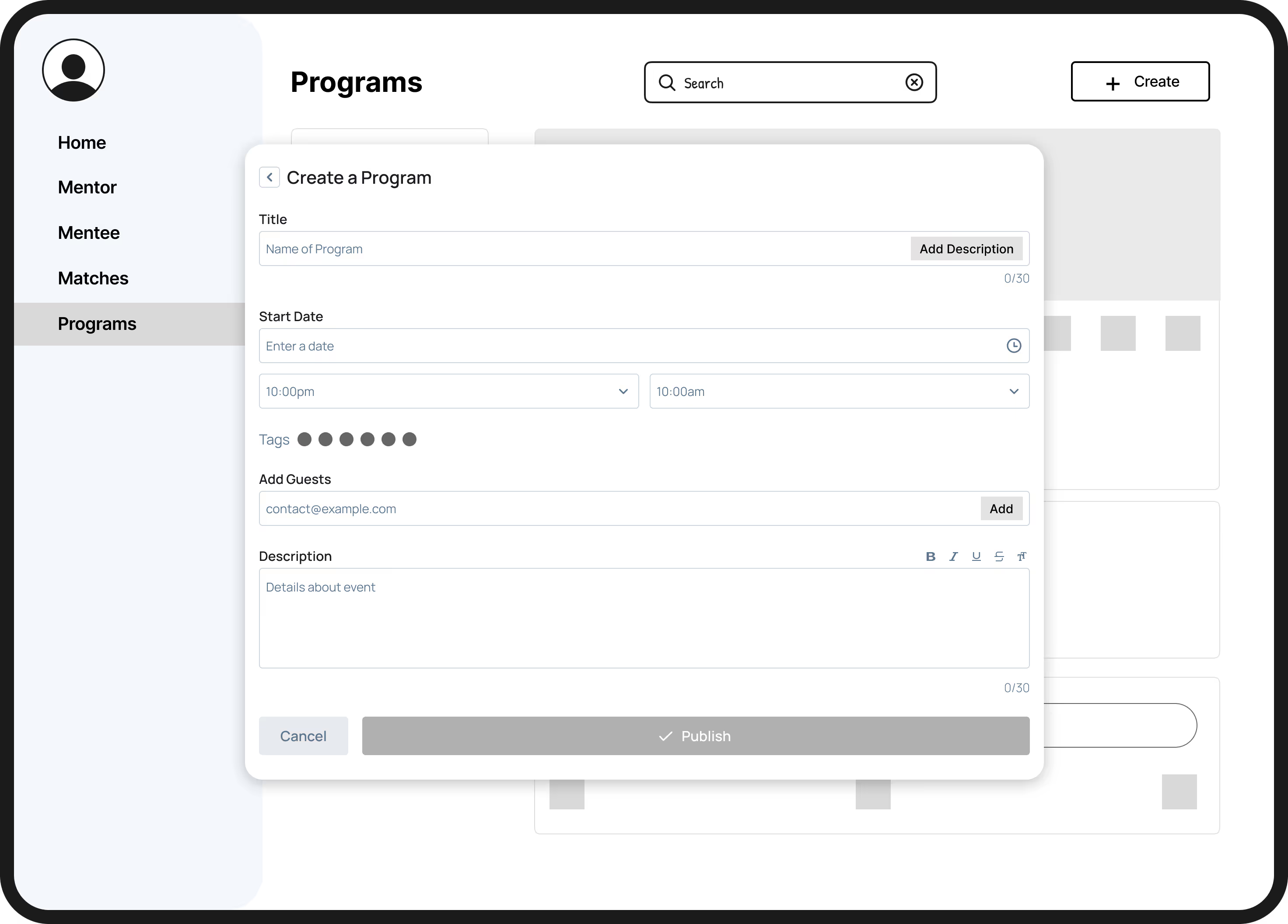
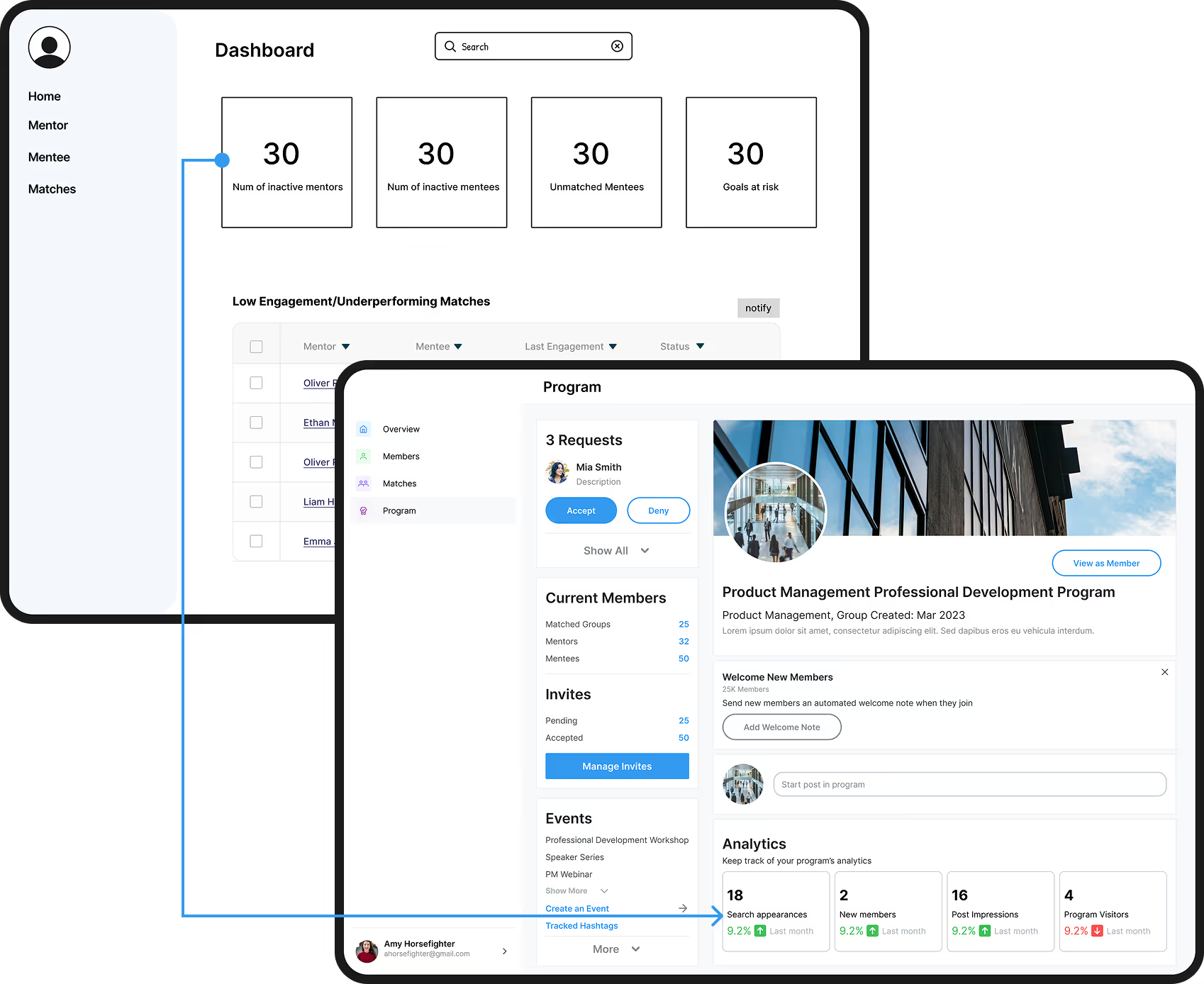
Main Dashboard
After we presented our low-fidelity wireframes to the CEO, we designed for gaps in our designs, including:
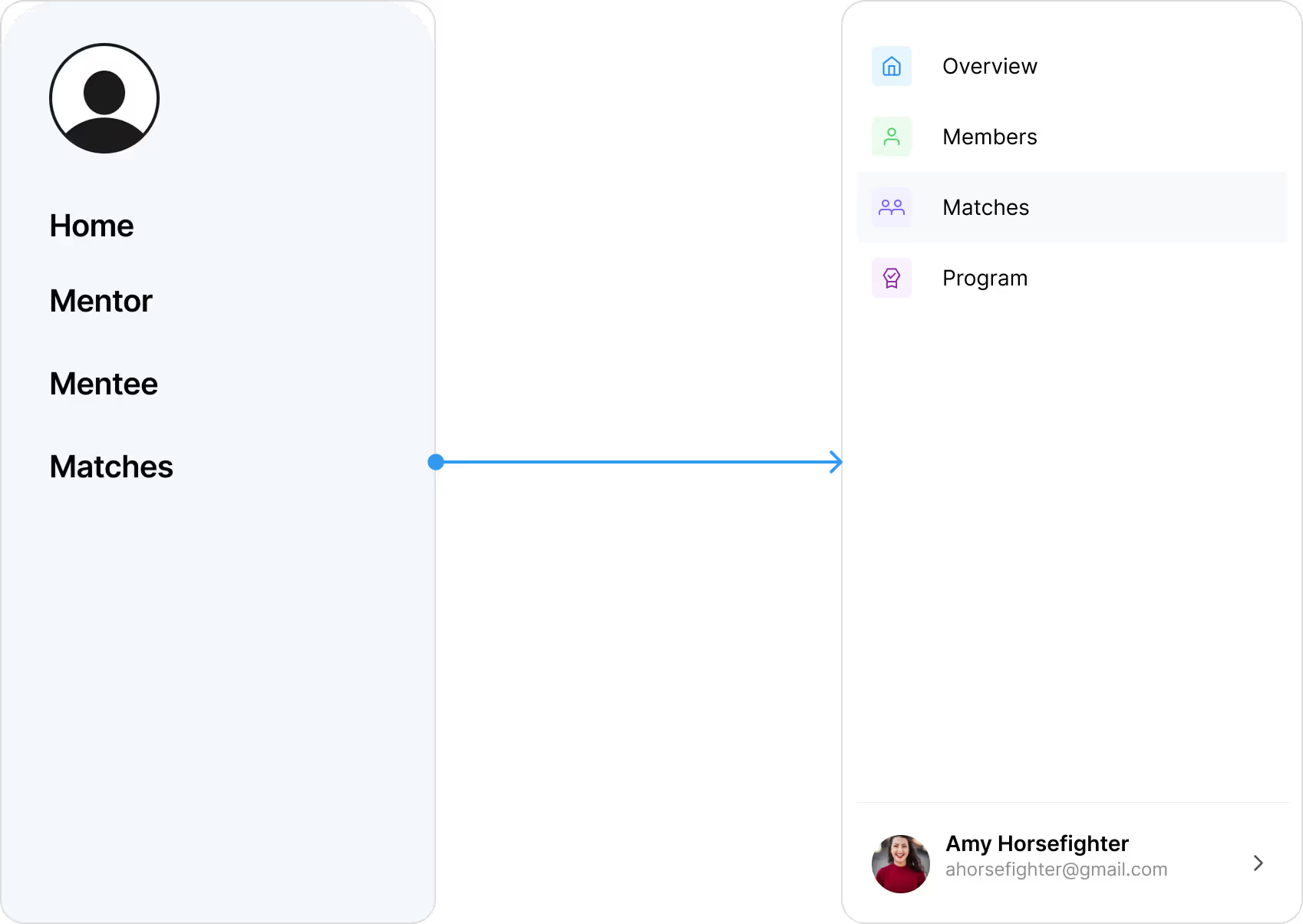
Navigation
Enhancing the side nav bar so admins can reach programs as well as members and mentors.
Data Display
Including more positive metrics such as total numbers, active participation rates, and overall satisfaction instead of purely negative metrics such as # of inactive members.
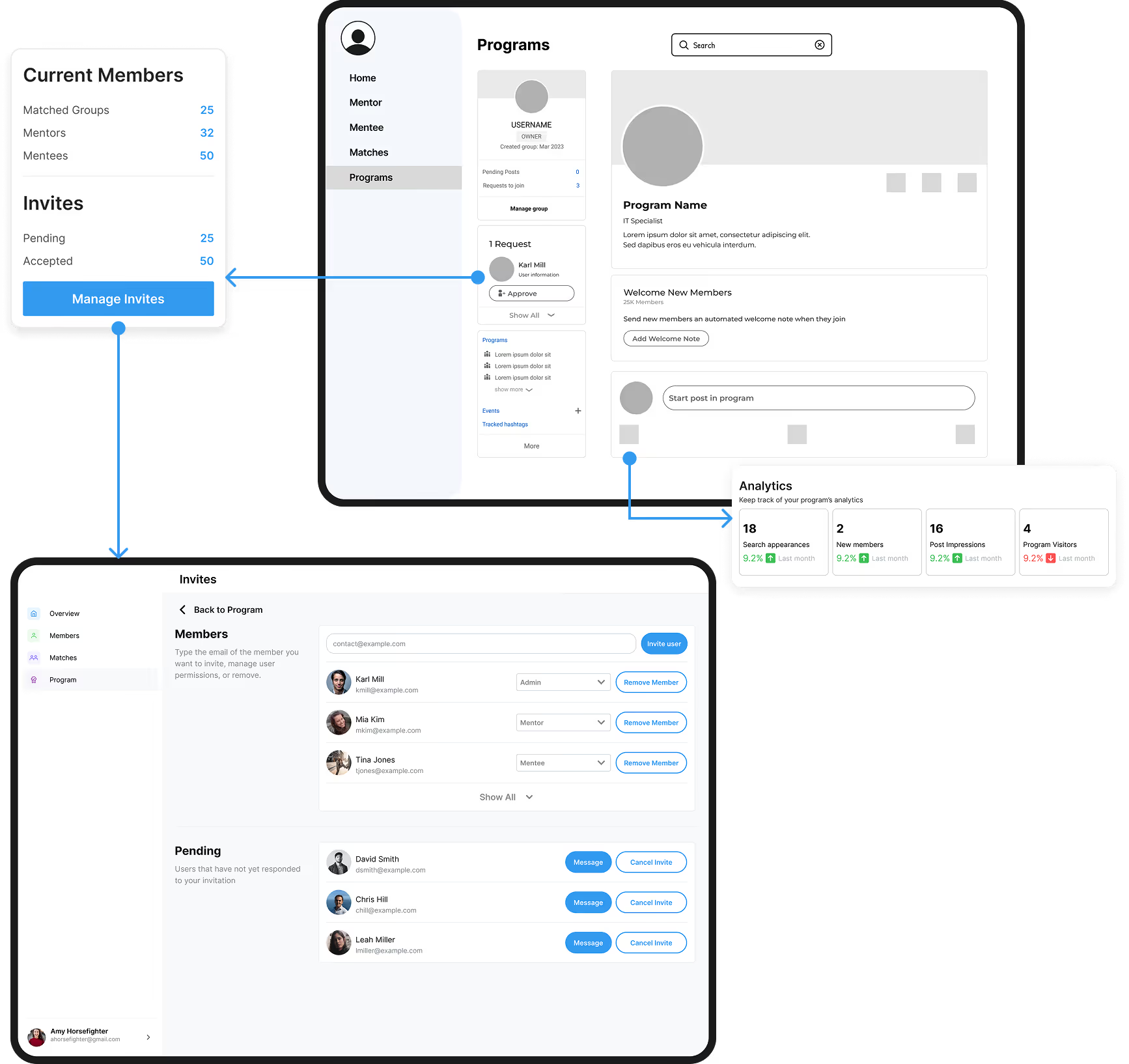
Feature Consolidation
Consolidating features such as analytics and managing invites on one page so admins can make decisions faster.
Usability Testing
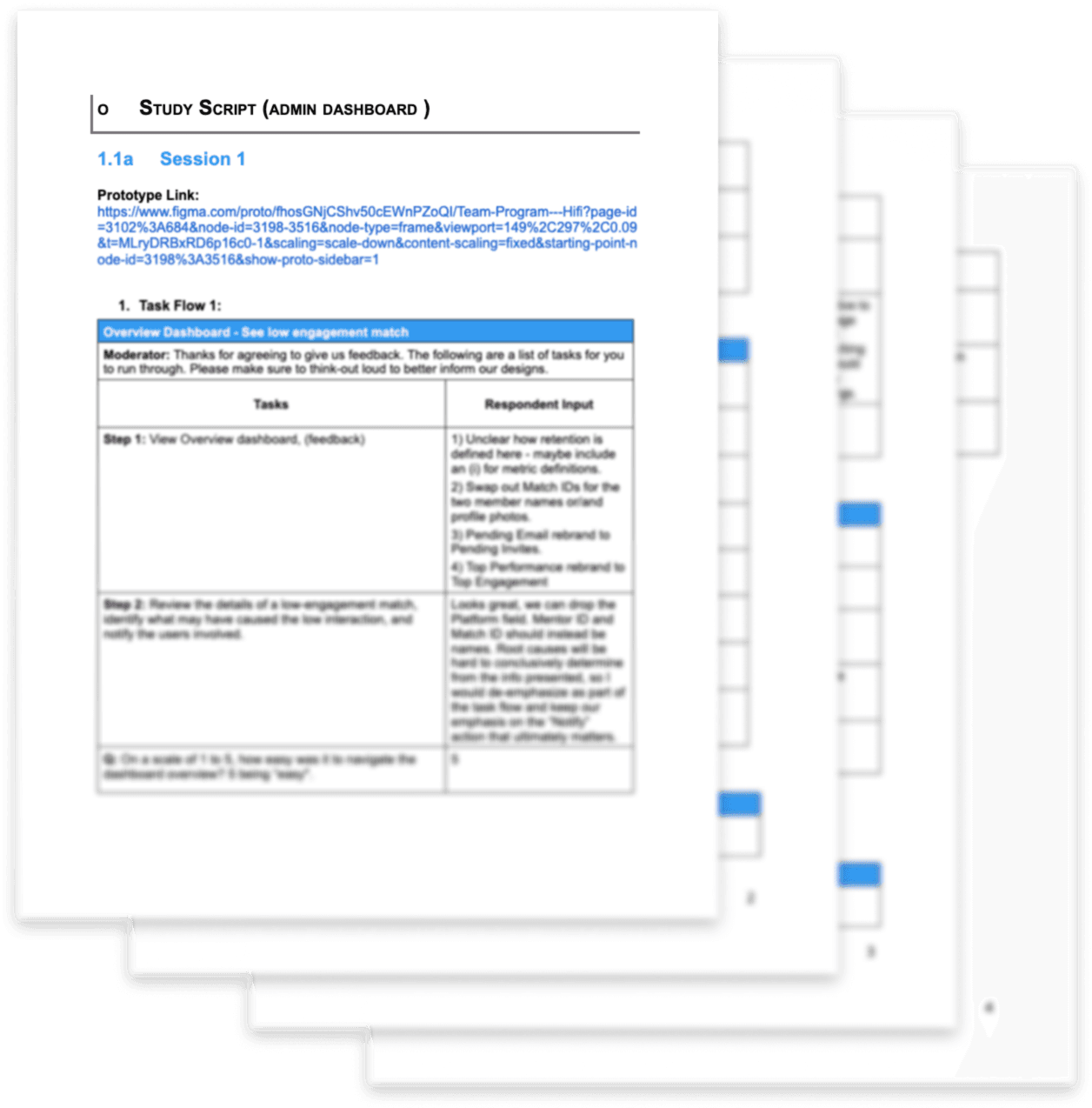
My team and I conducted a usability test with our high fidelity design, where we found that we needed to:
- Clarify labels and metric definitions throughout the dashboard.
- Replace IDs with names or profile photos for better context.
- Reconsider navigation and terminology for Matches/Notifications.
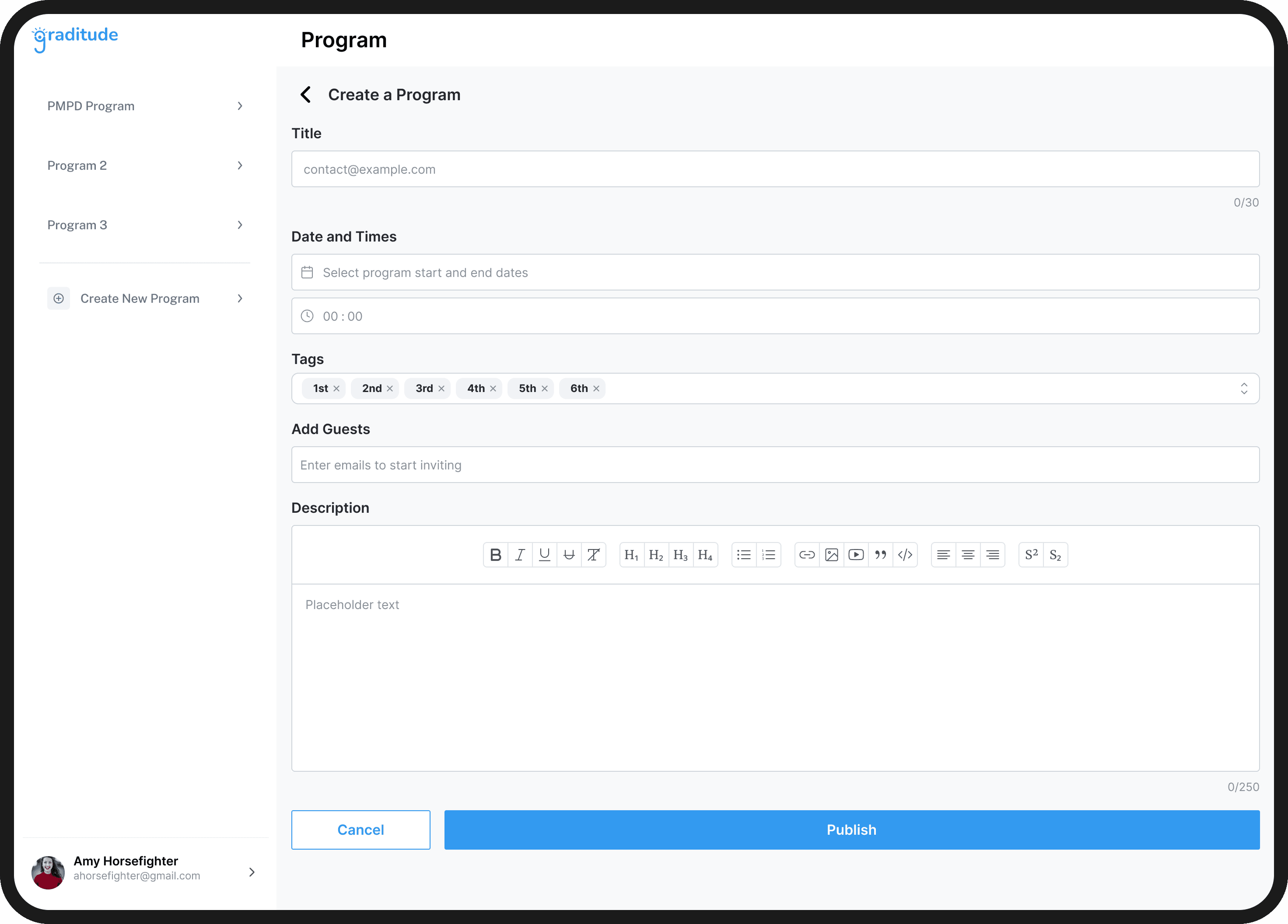
- Provide shortcuts or direct paths for program creation and related actions.
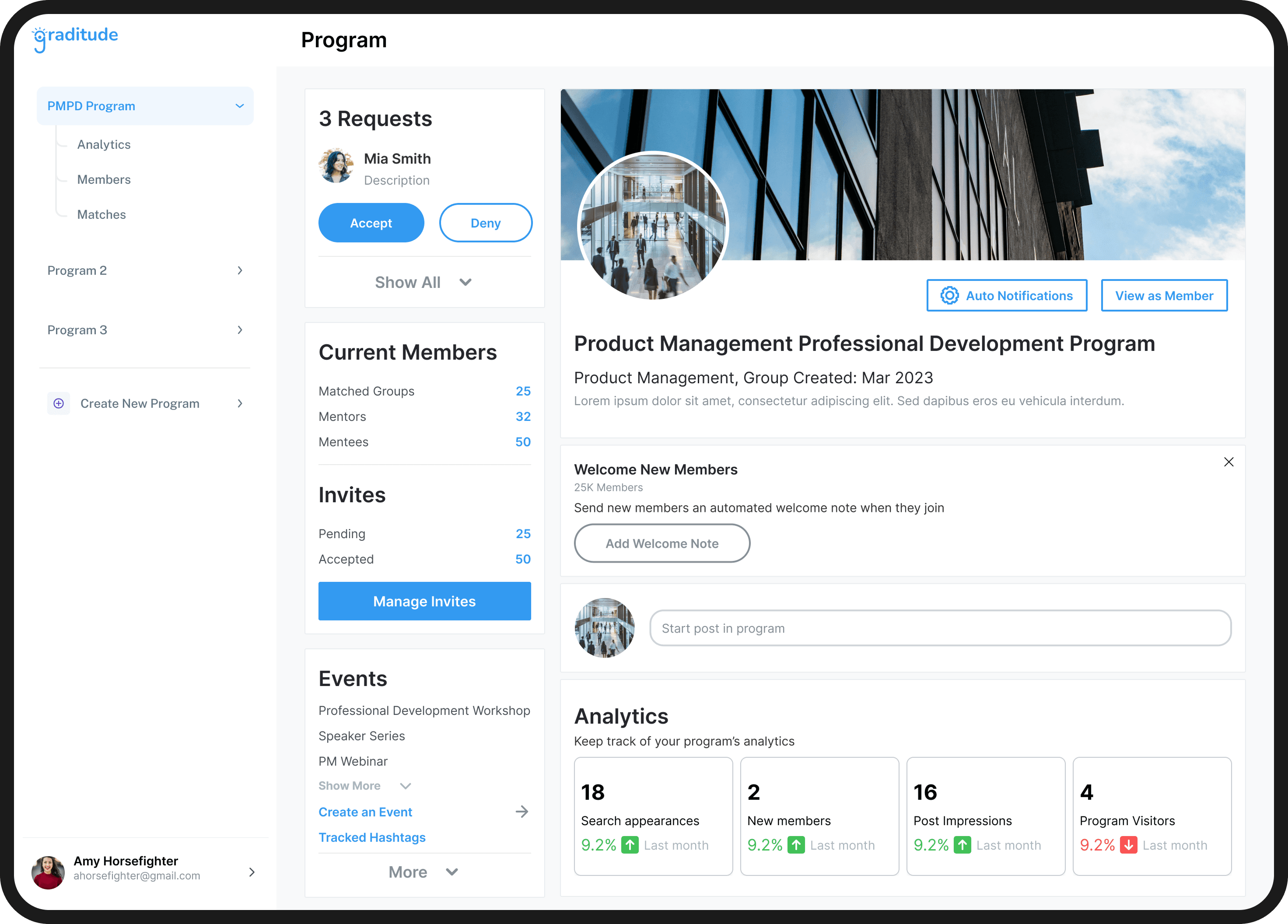
Giving Admins Clarity
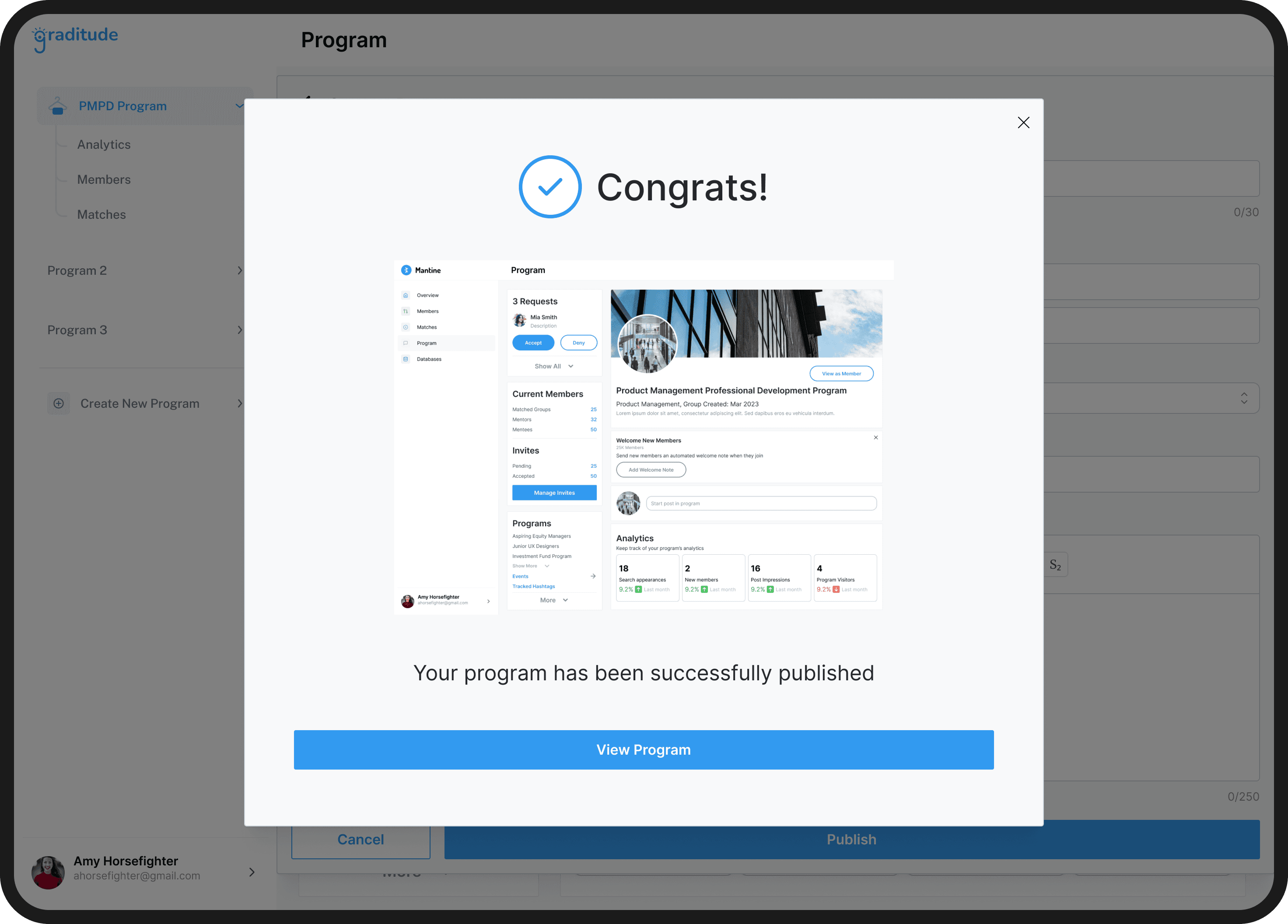
Through my dashboard design, admins can now create new programs, engage with their programs’ members, and view selected statistics to keep track of their programs’ progress.
Final Prototype
Reflection
Stakeholders and User POVs
For a design to be successful, I needed to balance what the CEO wanted, past user research, and usability test results. What helped me the most was sorting stakeholder/business and users' needs and connecting them based on pain points and objectives of the tool.
Consistency and Organization
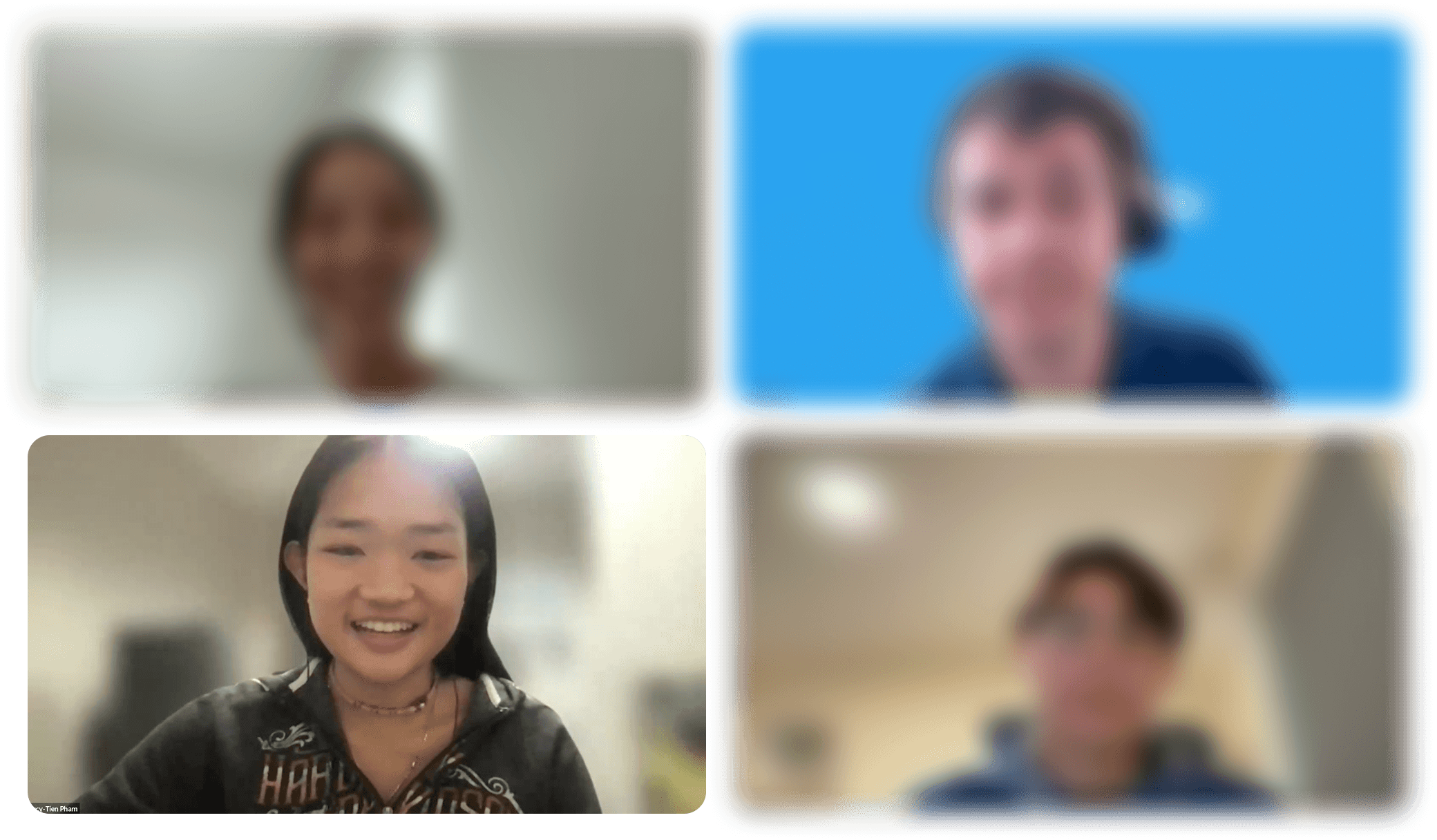
Since this was a remote internship across multiple time zones, organization was key to the project's success. By managing action items, coordinating meetings, and updating the CEO weekly, I kept my team productive despite being 2000+ miles apart!
Designing for an Internal Tool
Having only worked on consumer-facing products, designing for admins was a refreshing new challenge. This project really pushed me to draw on my own club leadership and internal tool experience to better empathize with admins' unique needs.
In the future I’d want to add features that let admins personalize the dashboard for their specific program, such as options for different views (tiled, lists) or even customizing the dashboard through dynamic cards. I’m so glad that I got to design for data, and this really sparked my interest in designing for admin-facing tools!